
ESS Utumishi Employee Self Service Tanzania (Watumishi Portal)
The ESS Utumishi (Employee Self-Service) Portal is designed to simplify human resource and payroll management for government employees. It is introduced by the President’s Office of Public Service Management and Good Governance (PO-PSMGG). It provides a secure and reliable way for public servants to access essential job-related services online.
Without this portal, employees risk falling behind with limited services, slow approvals, and missed benefits. They do not get clear or up-to-date information about their records. It saves time and cost. The platform provides a faster, more transparent, and seamless channel of communication between employees and the government.
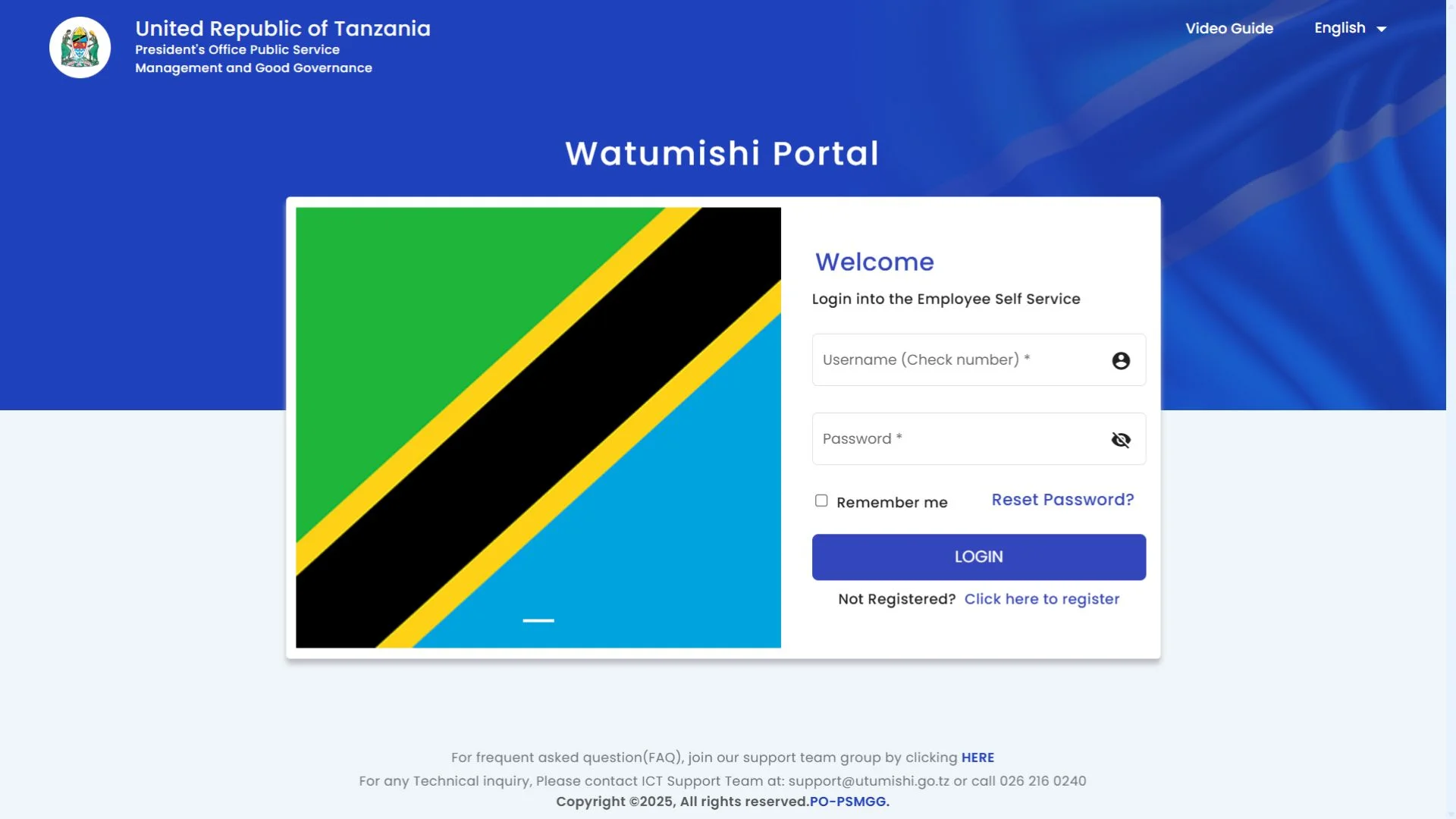
Users can view their salary details, update their records, manage transfer requests, and use Pempis facilities. You can reset or change your password; there’s no need to visit the administrative offices for minor issues. Watumishi Portal provides employees with user-friendly access from their computers or mobile phones. You can also use the mobile app.
What is the ESS Utumishi Portal?
It is an employee self-service portal, an online platform designed for the public servants of Tanzania. It enables employees to access employment-related information and perform tasks, view personal data, and access payslips, among other features. It modernises the public service, increases transparency, and reduces manual paperwork. It is a proper system that works with government databases. It is also called the Watumishi portal.
Who created the ESS Utumishi?
It was created by the President’s Office of Public Service Management and Good Governance (PO-PSMGG) of the United Republic of Tanzania. It was designed to digitize the services of government employees. Its primary goal is to enhance communication between government employees and the public, automate manual tasks, and streamline processes.
ESS Utumishi Portal Registration Process Step-by-Step Guide
If you are new to this portal, you need to register before accessing it. For more details, read the complete ESS Utumishi registration process.

Requirements:
Process:
Step 1: Visit the portal
Go to Google and type ESS Utumihsi in the search bar or click on this link to access the portal.
Step 2: Access the registration page
On the Ess portal, you will see the link labelled as “Click here to register.” Click on it, and you will be navigated to the registration page.
Step 3: Fill in the Details
Now enter your details on the registration form. Write the check number in the first box and then the national ID in the second box. After that, enter your email address and click on the Sign-Up button.
Step 4: Activate your account
After clicking on the sign-up button, you will receive an email with your username and password.
How to Log in to the ESS Utmishi Portal
After registration, you can log in to the portal. Follow these steps:
Step 1: Go to the Watumishi Portal
Access the employee self-service portal from a Google browser or by clicking on this link. It is a secure employee login process.
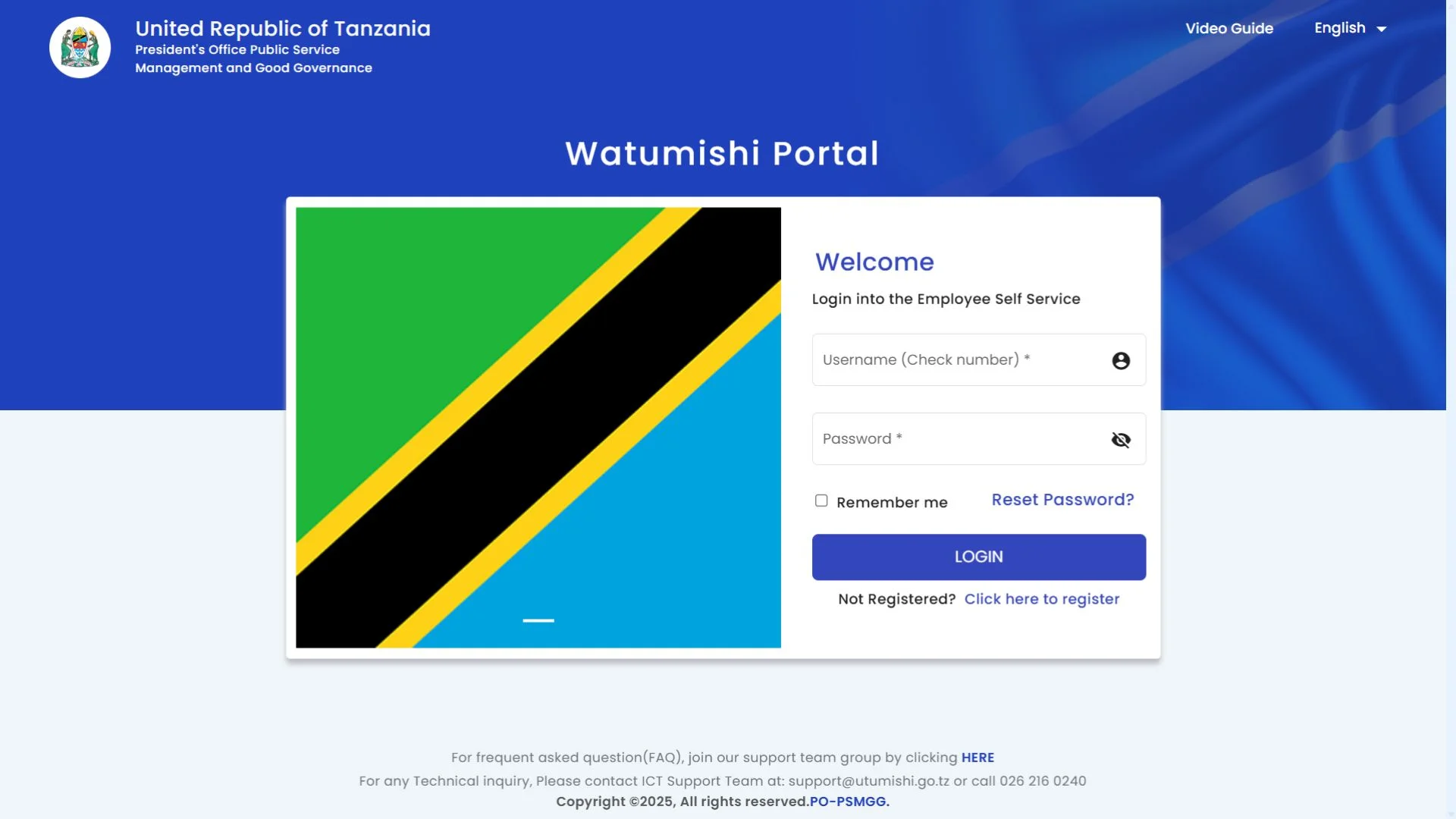
Step 2: Enter your username and password
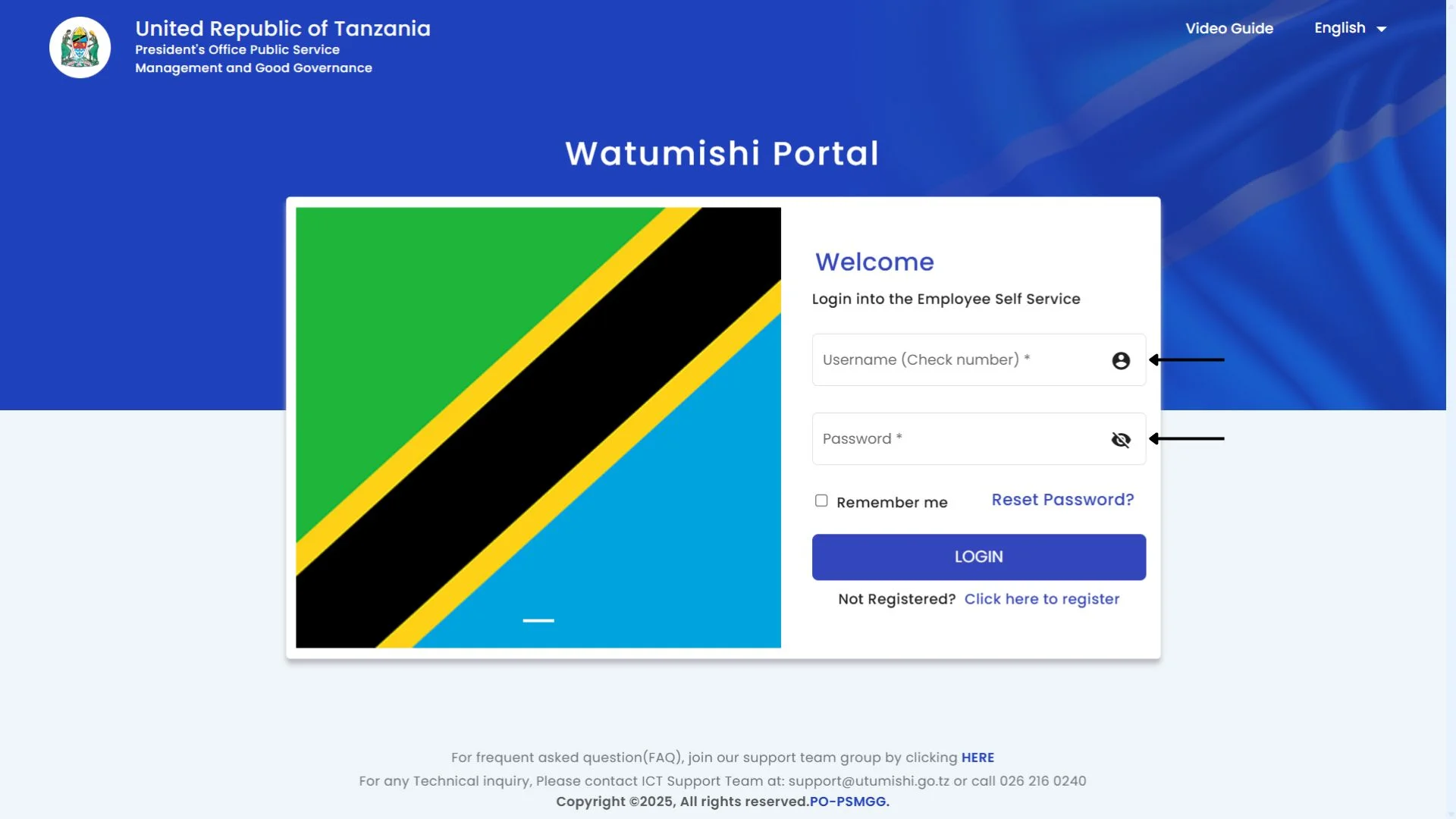
After opening the portal, type your username (check number) in the upper section and type your password in the lower section that you created during registration.
Step 3: Log in to your account
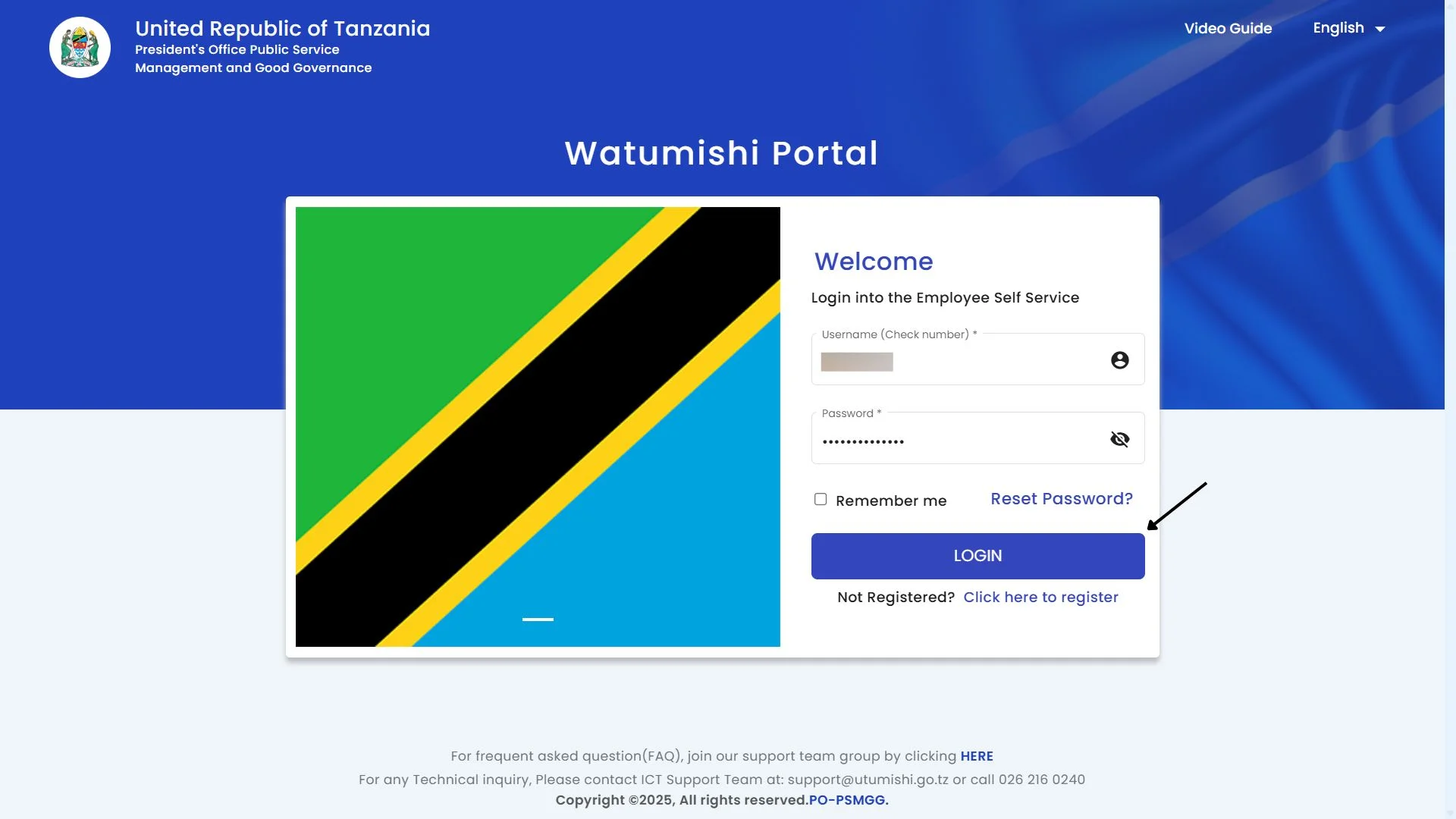
After entering your credentials, click on the login button. If you tick the “Remember me” box, your password is saved, and the next time you log in, you can do so by simply clicking.
How to reset your password on the ESS Utumishi Portal?
If you forgot your Ess Utumishi portal password, don’t worry. To reset your password, follow this guide:
Step 1: Go to the portal
Open the Employee Self Service Utumishi portal.
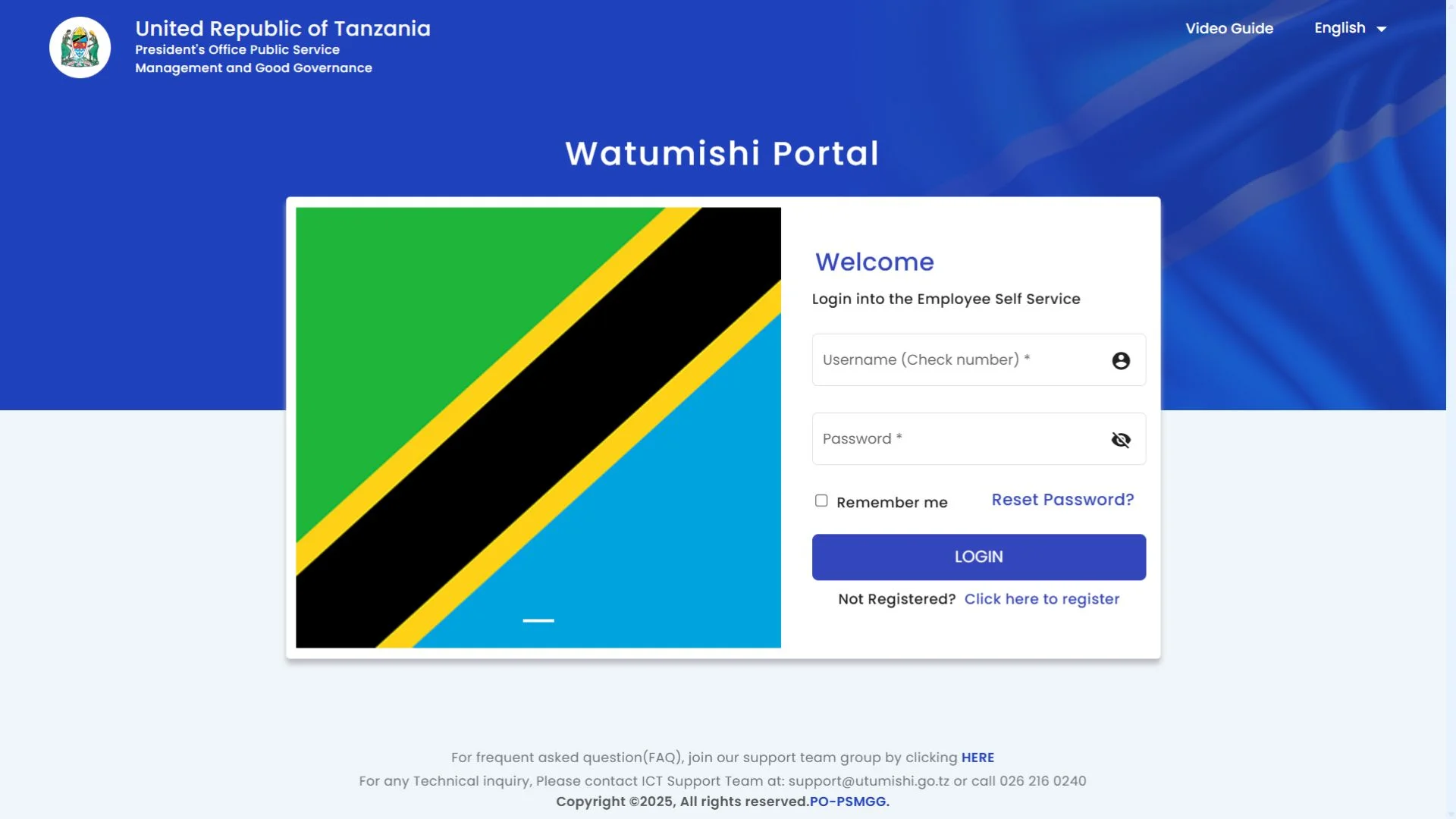
Step 2: Click on the Reset Password
You will see a login page. Click on the “Reset Password?” link.
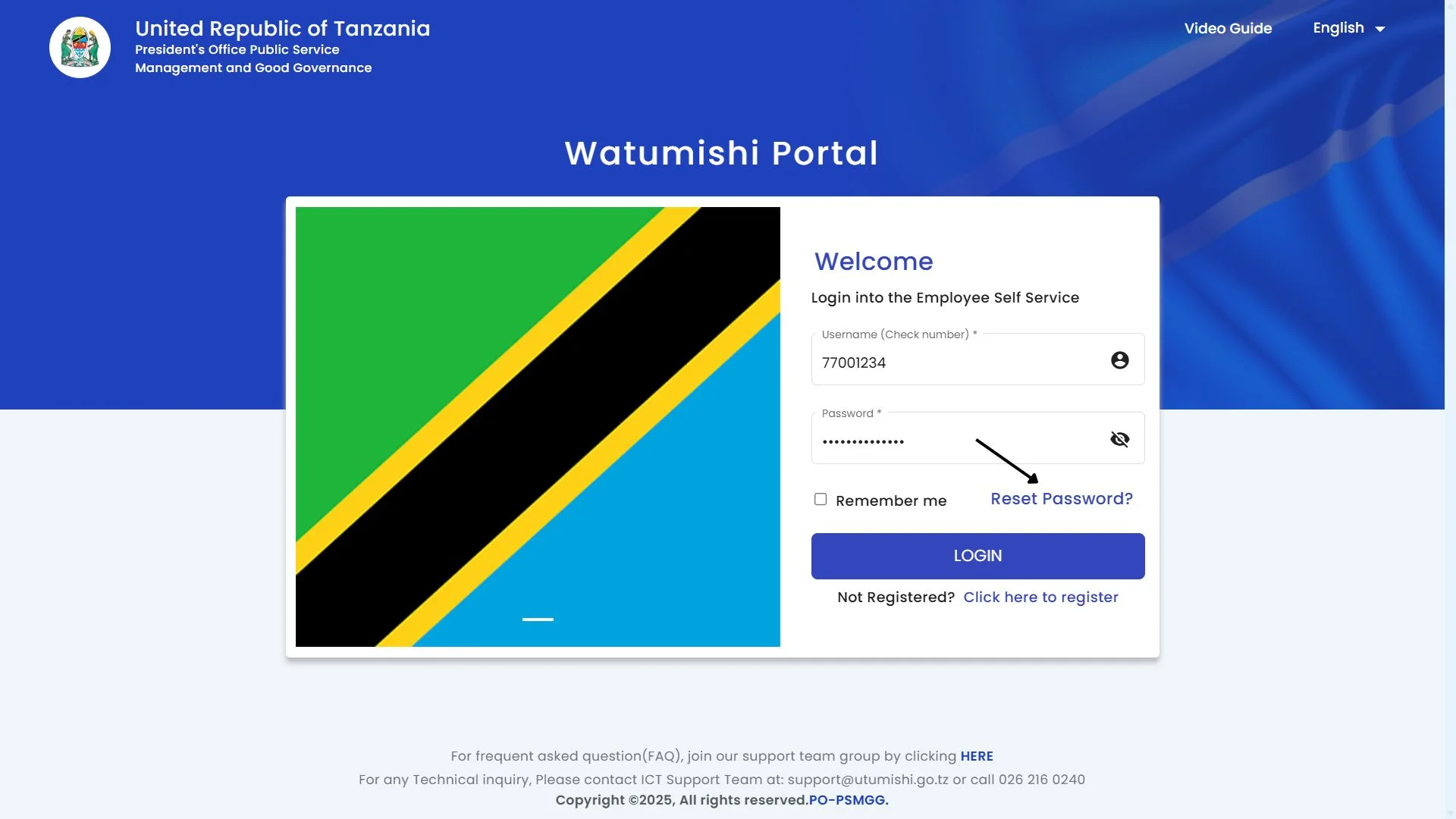
Step 3: Enter Your Details
Enter your check number in the first section and enter your email address in the second section.
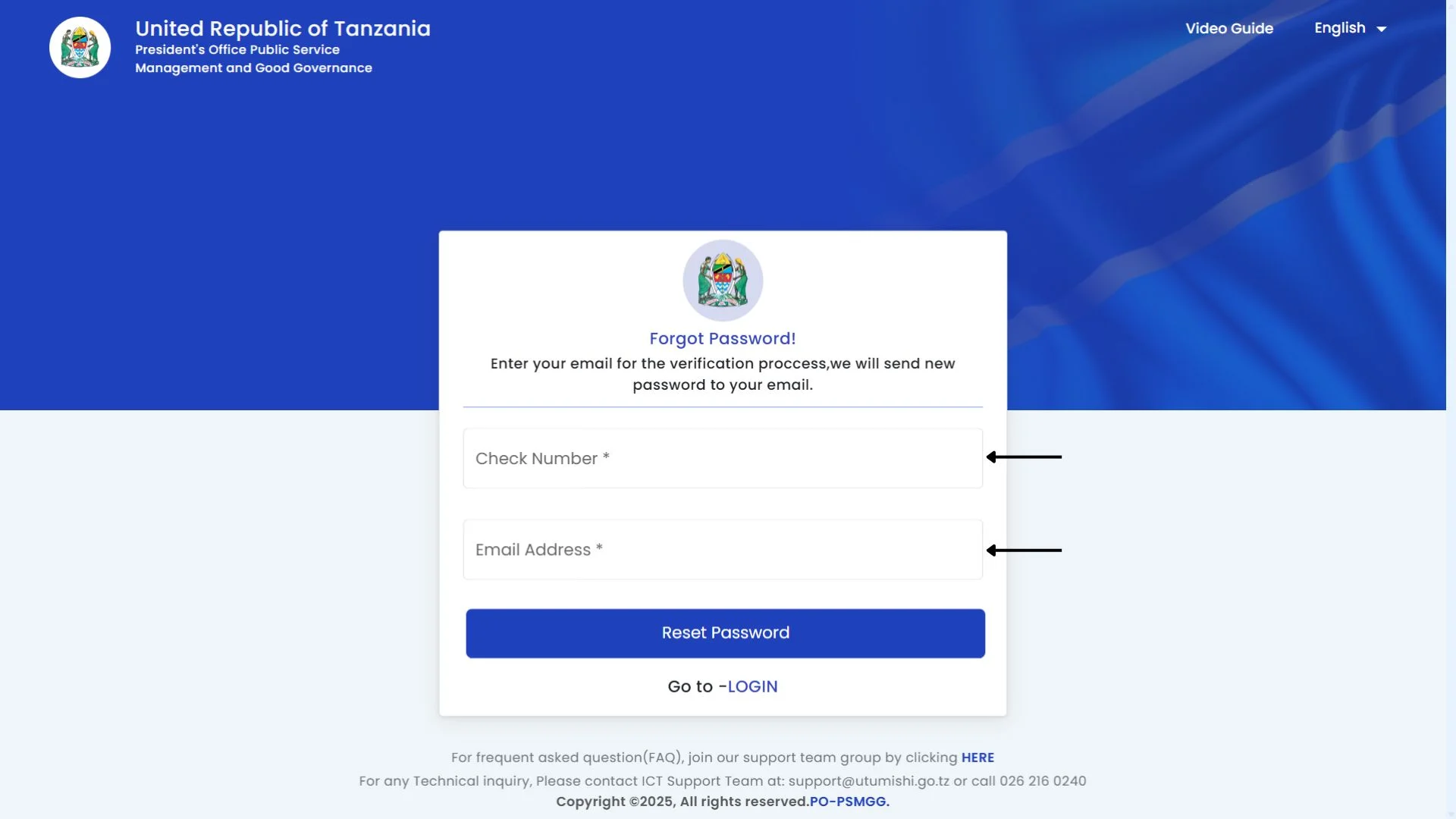
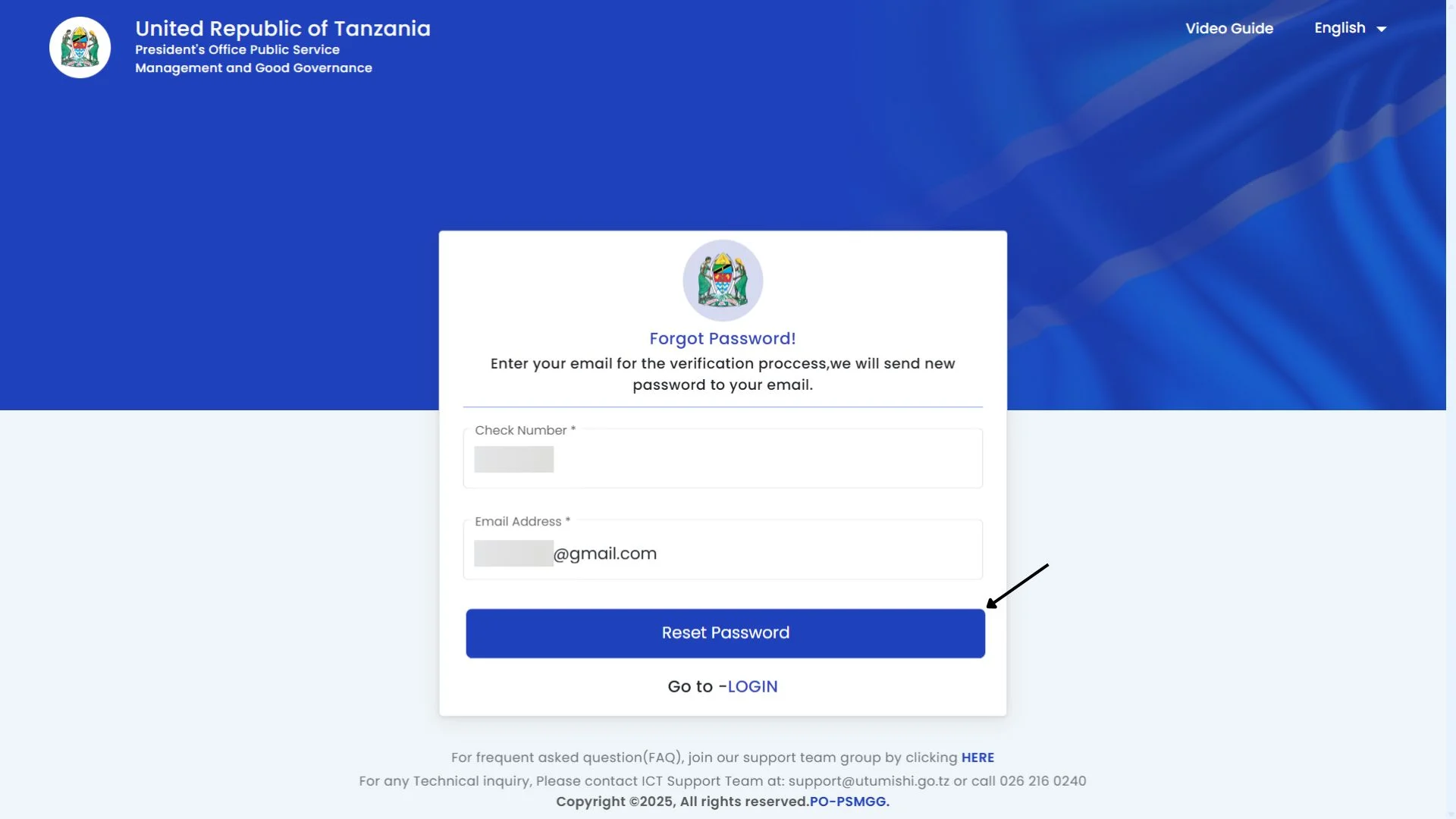
Step 4: Reset your password
After entering your details, click on the Reset Password button. You will receive an email with a link. Follow the instructions, reset your password, and create a new one.
How to change your password
If you want to change your portal’s password, follow these steps:
Step 1: Click on the change password
After logging in to the ESS Utumishi portal, click on the profile icon located at the top right side of the dashboard. After clicking, a drop-down menu will open. You will see the “Change Password” option. Click on it.

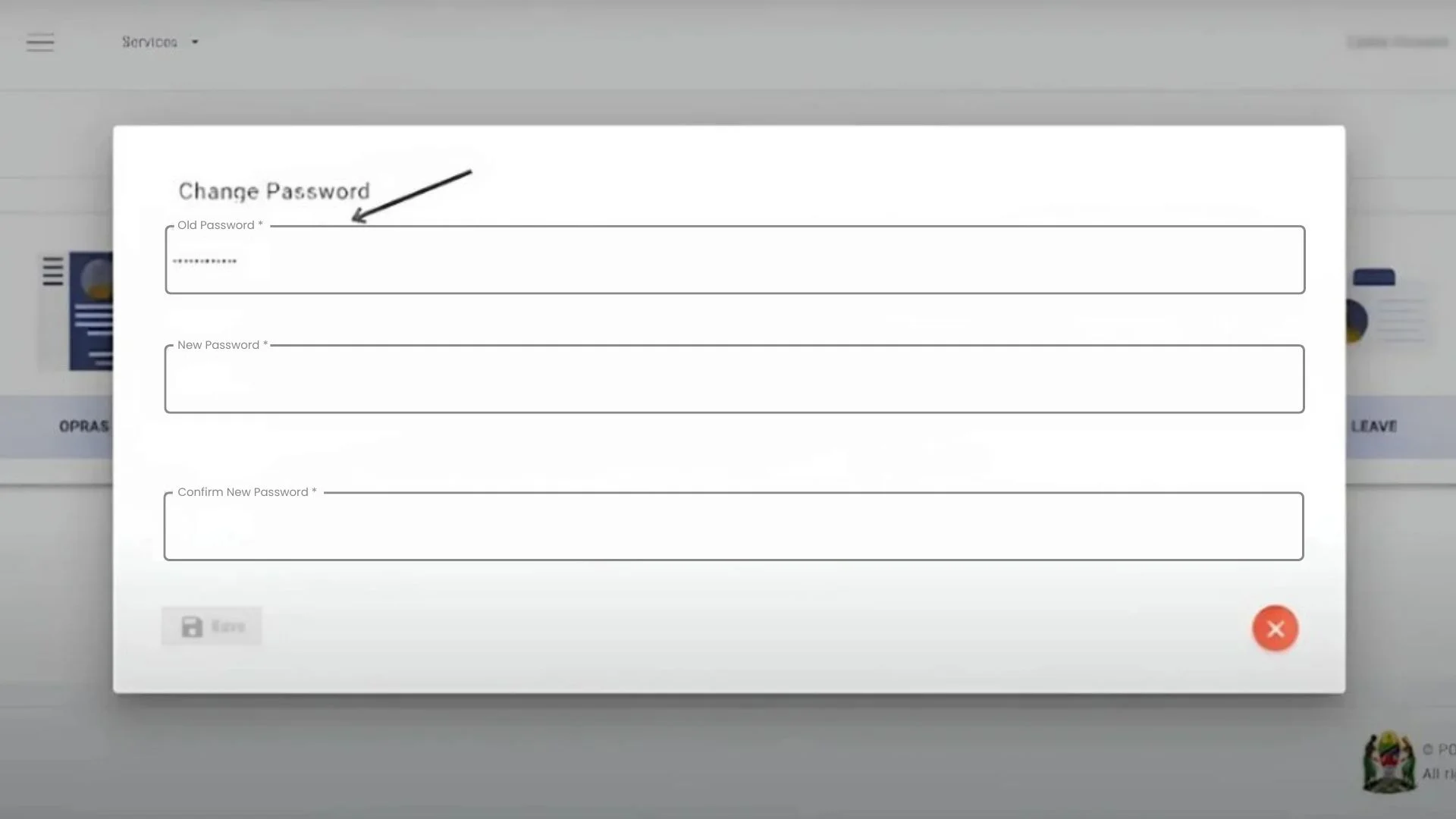
Step 2: Type your old password
Now, enter your old password in the first section.
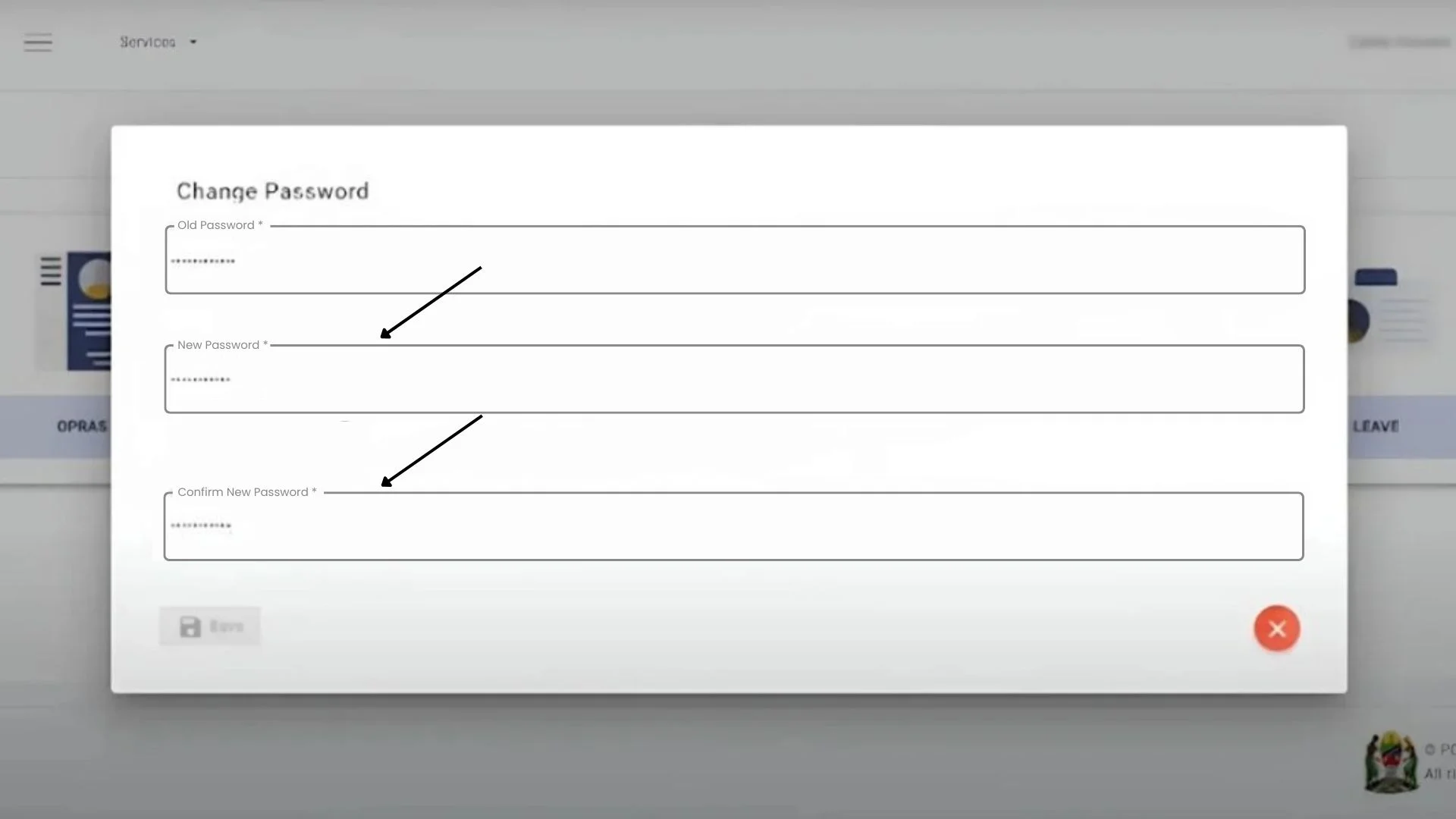
Step 3: Enter your new password
Now, type your new password in the second section, and rewrite it in the third section, which is for confirmation.
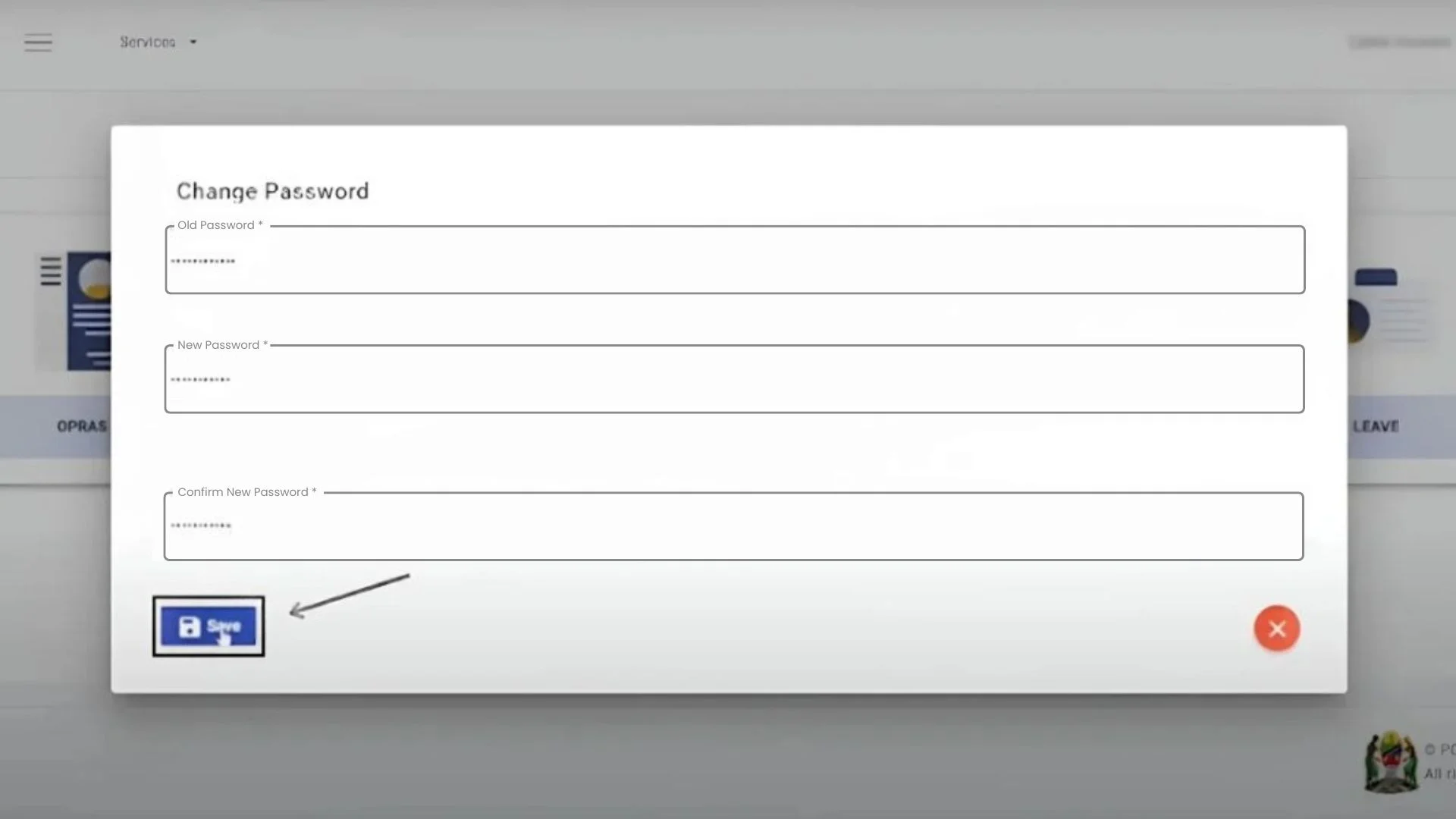
Step 4: Save your new password
After that, click the Save button; your password will be updated, and a pop-up message will appear on your screen: “A password has been changed successfully.”
PEPMIS
PEPMIS means Performance and Evaluation Project Management Information System. It is one of the best and most important features in the portal. It is designed to improve the management process. Employees can create their tasks, track their performances, and set their goals. This module enhances efficiency, saves time for workers and their supervisors, and fosters transparency between them. For more details, explore all the PEPMIS features and follow the steps to learn how to use them.
Alerts in PEPMIS
There are three types of alters:
ESS Utumishi Mobile Application
This system also introduces the mobile application. Download the ESS Utumishi mobile app and easily manage your work. You can get it from the Google Play Store and enjoy its features. It is a secure app. It has strong data privacy. Through this app, Tanzania modernises its government services and empowers its employees.
Benefits of ess utumishi go tz
Here are all the key benefits of the Employee Self Service (ESS) portal:
View and update personal details
Employees can view and update their information by using the my profile dashboard available in this portal. It is essential for your work experience. It reduces your confusion and clears your doubts about your details. You can manage it through this portal from anywhere. It builds your trust.
Leave Request
It is a useful feature in the ESS portal. Users can apply for leave online by using this feature. They can also maintain their leave balance by tracking all the details available in this system. It reduces management burdens and empowers staff; they can manage their own needs through the portal.
Transfers
This feature is beneficial for your career development. Users can apply for transfers through this portal. Employees no longer need to visit management offices or wait for approvals in person. They can apply directly online from anywhere. It increases employee satisfaction and manages the work burdens.
Salary Information
It is a user-friendly feature that allows government employees in Tanzania to view and download their salary slips. It provides a transparent view to users. They can check all their deductions and allowances, and manage their finances after the portal login. Users can check it at any time.
Loan
If users encounter financial difficulties, this portal enables them to apply for a loan. It is beneficial for employees who want to apply for loans through the watuimishi portal. It reduces the employee’s stress. Users can view all details, check active loans, and monitor their approvals in this section.
Time and Cost Saving
Time is important and precious for everyone. Time and cost savings are the best key benefits of this portal. It reduces manual work, so keeping records online saves the cost of paper. Employees do not need to visit HR offices for minor issues. They can solve them online.
Notifications and Alerts
It helps you to make decisions early. This portal sends you notifications and alerts about your work. For example, changes to anything, including new rules, updated policies, and delays due to system maintenance, etc. You can get all the ESS Ututmishi news and updates through it.
Streamlined Communication
The main purpose of this portal is to make smooth and direct communication between employees and public service management. Tanzania’s government introduced an automated process, which reduces the delays and keeps things clear. Users can receive timely, updated official messages without delays.
Importance of the ESS Utumishi in the COVID-19
During COVID-19, this portal played an important role in supporting the government employees in Tanzania. It reduced the need for physical office visits by providing online access to essential services. Employees accessed pay slips, leave applications, and personal record updates online from home. It kept public services running while protecting workers.
ESS Utumishi Official Video Guide
Security features of Utumishi Portal
This portal is built with robust security mechanisms to protect sensitive employee information such as personal details, salary slips, and service records. It is designed by Tanzania’s public service management authorities and supported by e-government standards. Here are security features that make it is safe and reliable:
Identity Verification and Access Control
The portal is for government employees only. User identity is verified using check numbers, national ID information, and verification codes sent via SMS or email. This procedure ensures that unverified individuals cannot access your sensitive information.
Strong Data Encryption
Your data is safe. This portal locks your information with strong digital protection. During login, payslip downloads, or personal updates, it ensures that your data is protected from cyber threats.
Real-Time Monitoring and Security Audits
To maintain security, ESS Utumishi is subjected to regular audits and continuous 24/7 monitoring. This approach enables real-time detection of unusual activity and stops its threats before they affect users.
Antivirus and Malware Protection
Systems linked to the portal are protected with regularly updated antivirus and anti-malware solutions. It helps to reduce the risk of malicious attacks and maintain system performance.
Common Problems and Solutions
Here are some issues and their solutions that users can face:
Login Issues
If you are unable to log in, don’t worry; double-check your login details. If you forgot your password, reset it and ensure that your ID matches the registered details.
Slow Loading or Downtime
Sometimes the portal loads slowly and temporarily shows offline. This issue occurs due to system maintenance or high traffic. Please try to access the portal during low-traffic periods. Clear the cache and use a different browser if needed.
Delays in Data Updates
Sometimes you will see that you update the records, but they do not change immediately. Allow time; some changes may require administrative approval. If it takes more time, then contact HR for help.
Customer Support
The Watumishi portal offers strong customer support. If you encounter any problems, you can contact them; they will resolve your issues promptly.
✉️ Email Address: [email protected]
☎️ Phone No : 026 216 0240
Conclusion
The ESS Utumishi (Watumishi) Portal has improved the workflow of government employees in Tanzania. Now, employees manage their work-related tasks easily. It reduces the risk, saves time, and provides a transparent view. It is beneficial for users because it provides accessible features such as salary information, leave requests, transfers, and PEPMIS.
Its strong performance during COVID-19 proved that it is important for the government. With top security, mobile access, and clear communication, the portal shows how it modernises the system. It is a user-friendly platform that empowers the public servants. Users can access all the features from anywhere.