
ESS Utumishi Portal Registration Step-by-Step Guide for Tanzanian Government Employees
It is a modern digital system introduced by the PO-PSMGG. It helps Tanzanian government employees manage their work-related tasks online without the need to visit HR offices. If you are new to the platform, you need to complete the ESS Utumishi registration process before you can log in and access its features.
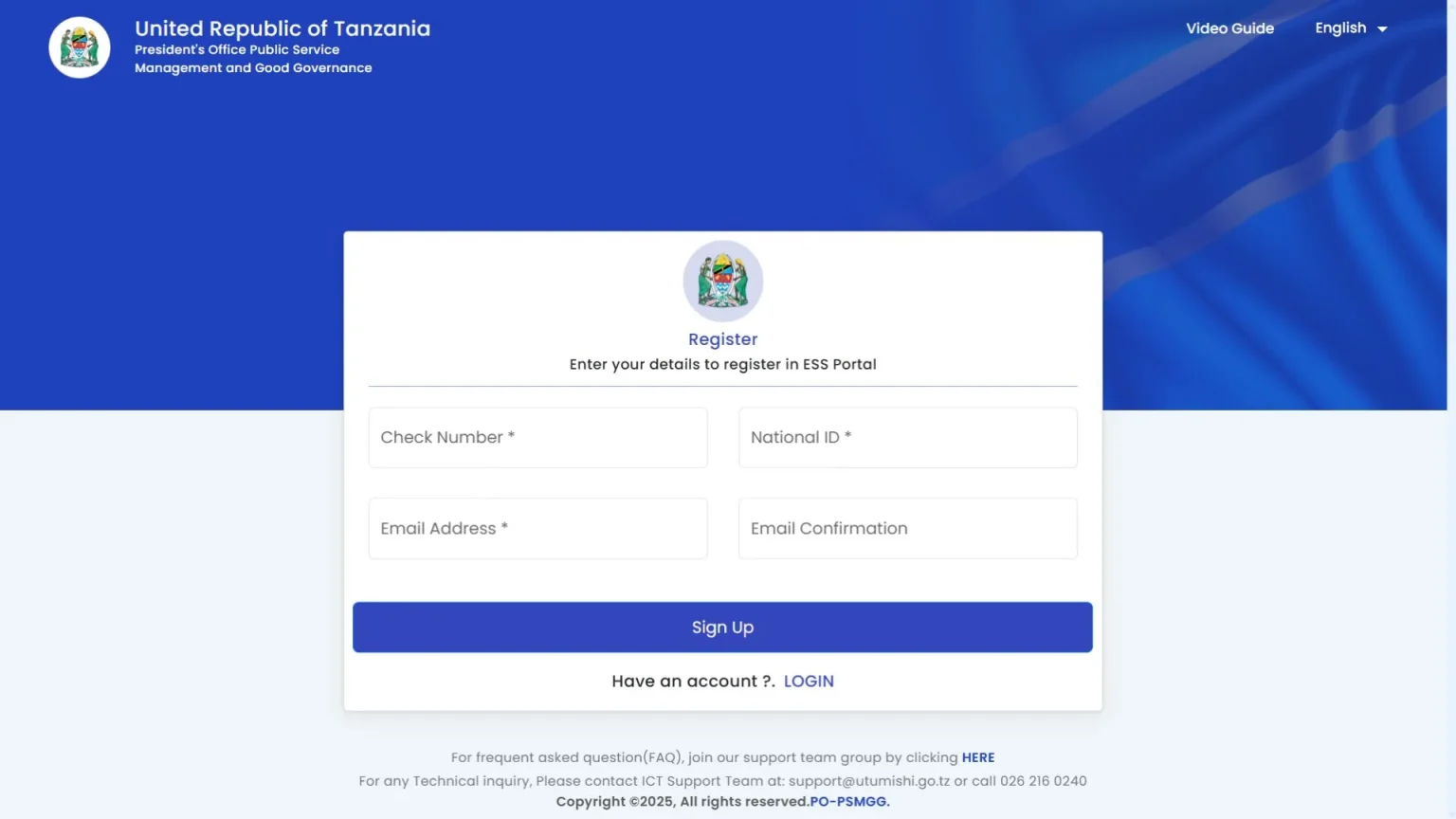
The process is straightforward. Follow our steps to register. After that, you can use all these services, like downloading salary slips, adding performance weight in PEPMIS, managing transfers, etc. It is a user-friendly platform and promotes transparency in service delivery.
Why Register for ESS Utumishi?
After completing your ESS Utumishi Go Tz sign-up, this portal gives you access to important services such as:
Requirements for Registration
Before starting the process, ensure that you have the following:
Step-by-Step Registration Process
Follow these guides to register on the Watumishi portal:
Step 1: Visit the Official ESS Utumishi Portal
Go to the official portal by clicking on this link.
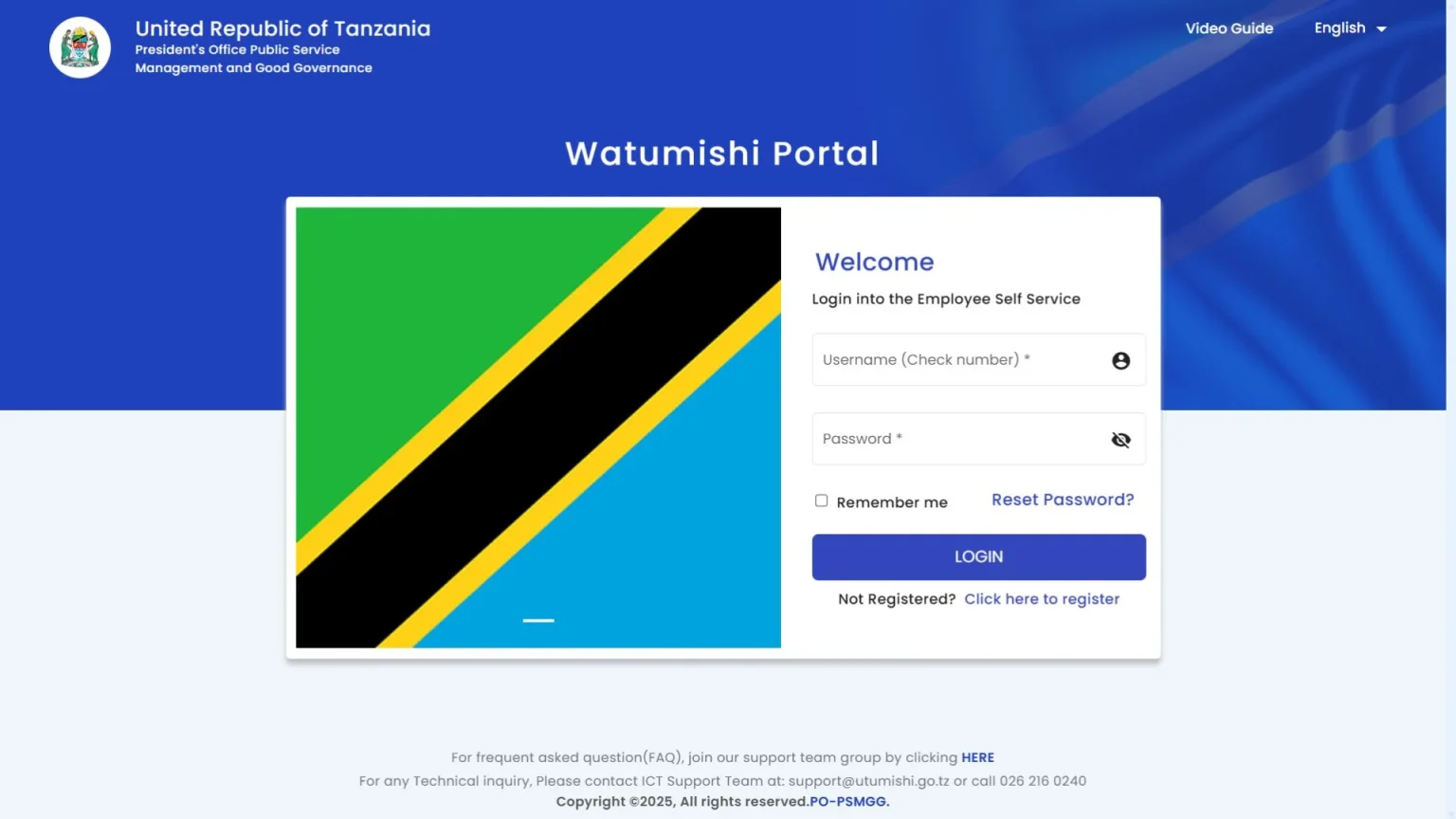
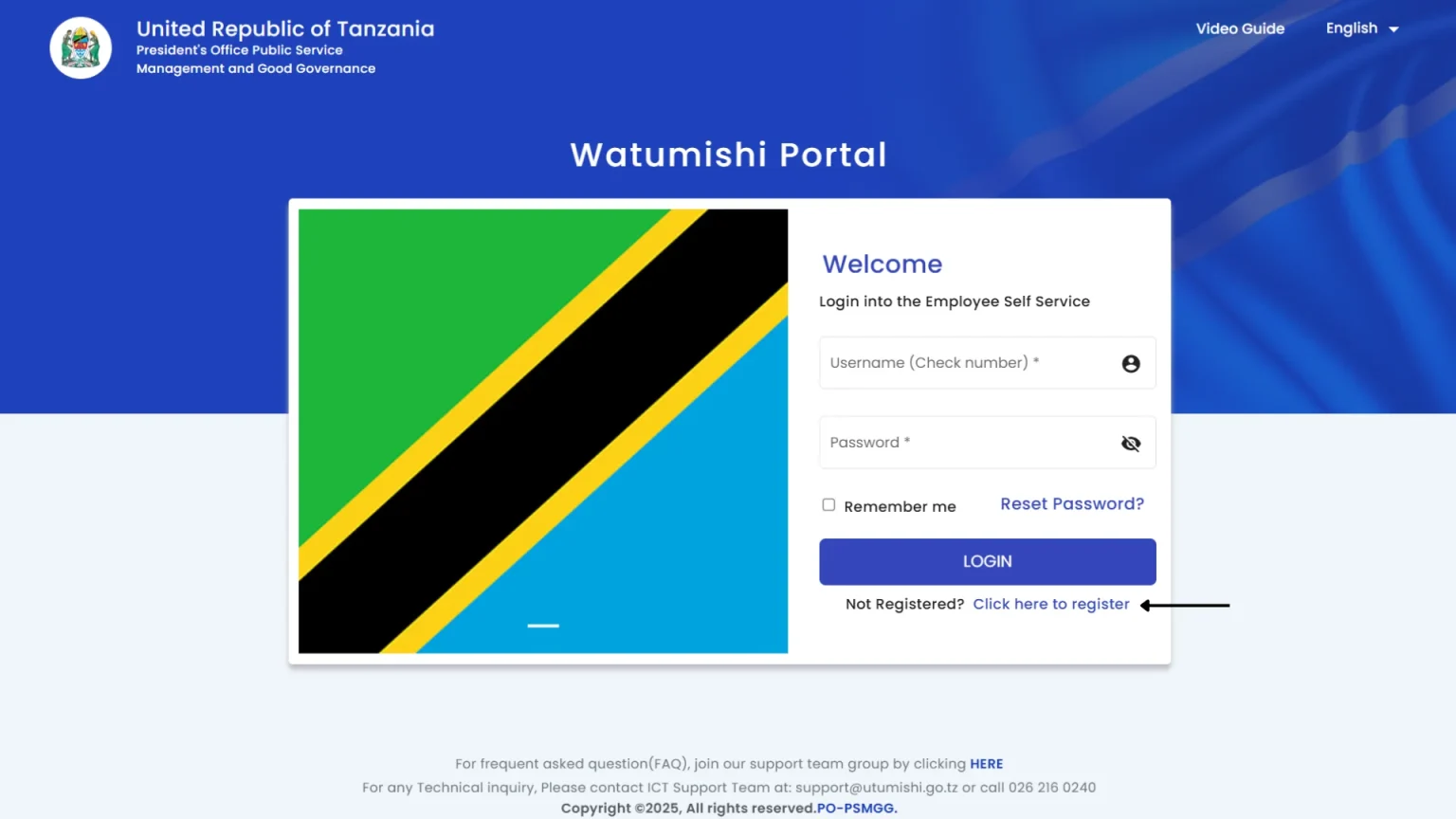
Step 2: Open the Registration Page
On the portal homepage, you will see a registration link labeled, “Click here to register.” Press on it.
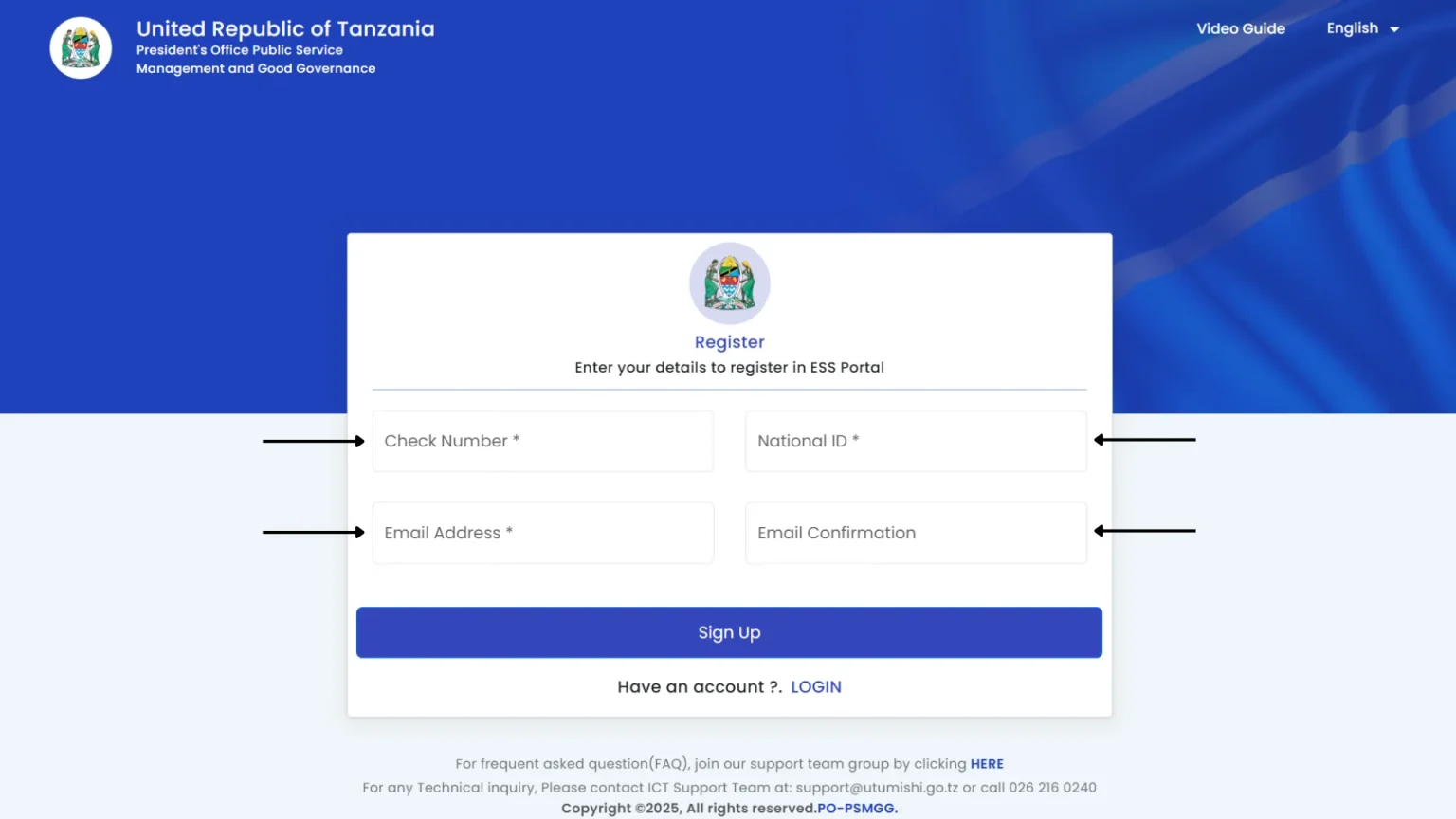
Step 3: Fill in Your Details
Enter your check number in the first section and then type your national identification number in the second section. After that, enter your working email address and rewrite it in the last section for confirmation.
Step 4: Click on the Sign Up Button
After filling in all the details, recheck them to confirm that the information you provided is correct, and then click the sign-up button.
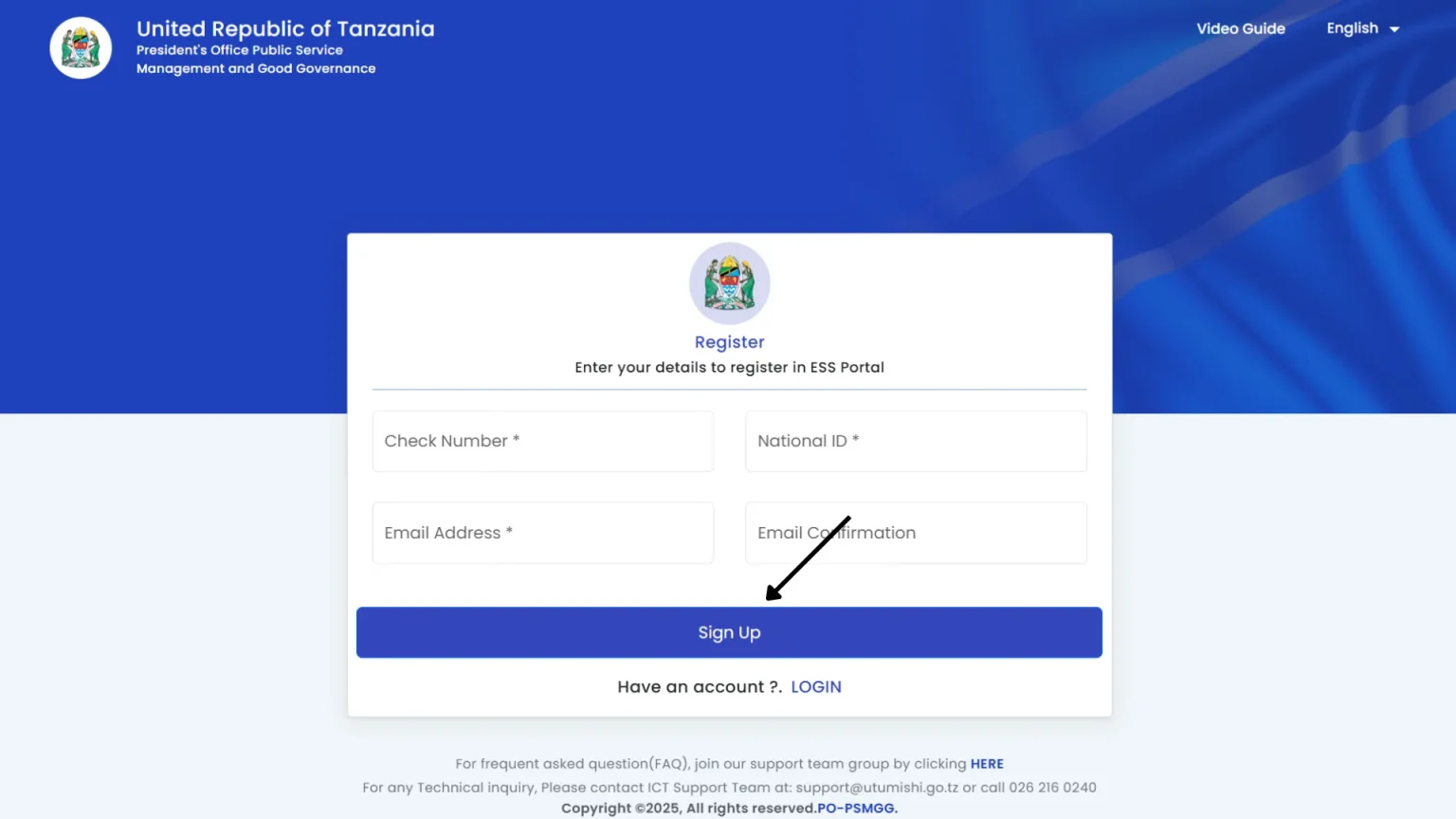
Step 5: Activate your account
After submitting your registration form, you will receive an email with instructions for account activation. Open it and follow the instructions to verify your account. This completes your Go Tz login and register online setup.
Common Issues
Conclusion
The ESS Utumishi registration process is easy. After completing the steps, Tanzanian government employees can access the portal and manage their data and services. This system enhances efficiency and transparency and reduces manual paperwork. It empowers the employees. After completing it, users can easily access salary details, leave applications, transfer requests, and other services.