
How to Apply Leave on the ESS Utumishi Portal
The Leave Dashboard is a beneficial feature of the ESS Utumishi (Watumishi) Portal. It provides Tanzanian government employees with a secure and transparent way to manage their requests online. They do not need to visit offices. Taking breaks helps you recharge and get back on track.
Through this portal, employees can apply for annual, sick, and other types of leave from anywhere. They can view their approvals and rejections at any time and manage their leave balance. It is necessary for family support and mental relaxation. Follow the easy steps to submit the request.
Why Leave Management is Important
It is important for maintaining a good work-life balance. They allow employees to:
Key Features
This Dashboard provides several features:
View Leave Balances
You have different types of leave, such as annual, sick, and maternity. It gives you a detailed view. You can check your remaining balance and manage your leave accordingly.
Track Leave Status
You can monitor the real-time status of your request. It gives you clear updates on its approval, rejection, or pending status.
Real-Time Updates
Check live updates while HR or your supervisor reviews your request.
Comprehensive Leave Categories
It offers various kinds of leave, like Annual, Sick, Maternity, Paternity, and Study Leave.
Notifications and Alerts
The platform allows employees to submit their leave reasons and durations and upload their documents online.
Leave History Records
This platform keeps your records; you can view the past and current leave applications at any time.
Step-by-step guide to submit a leave request
Follow these steps to submit your request on the Watumishi portal:
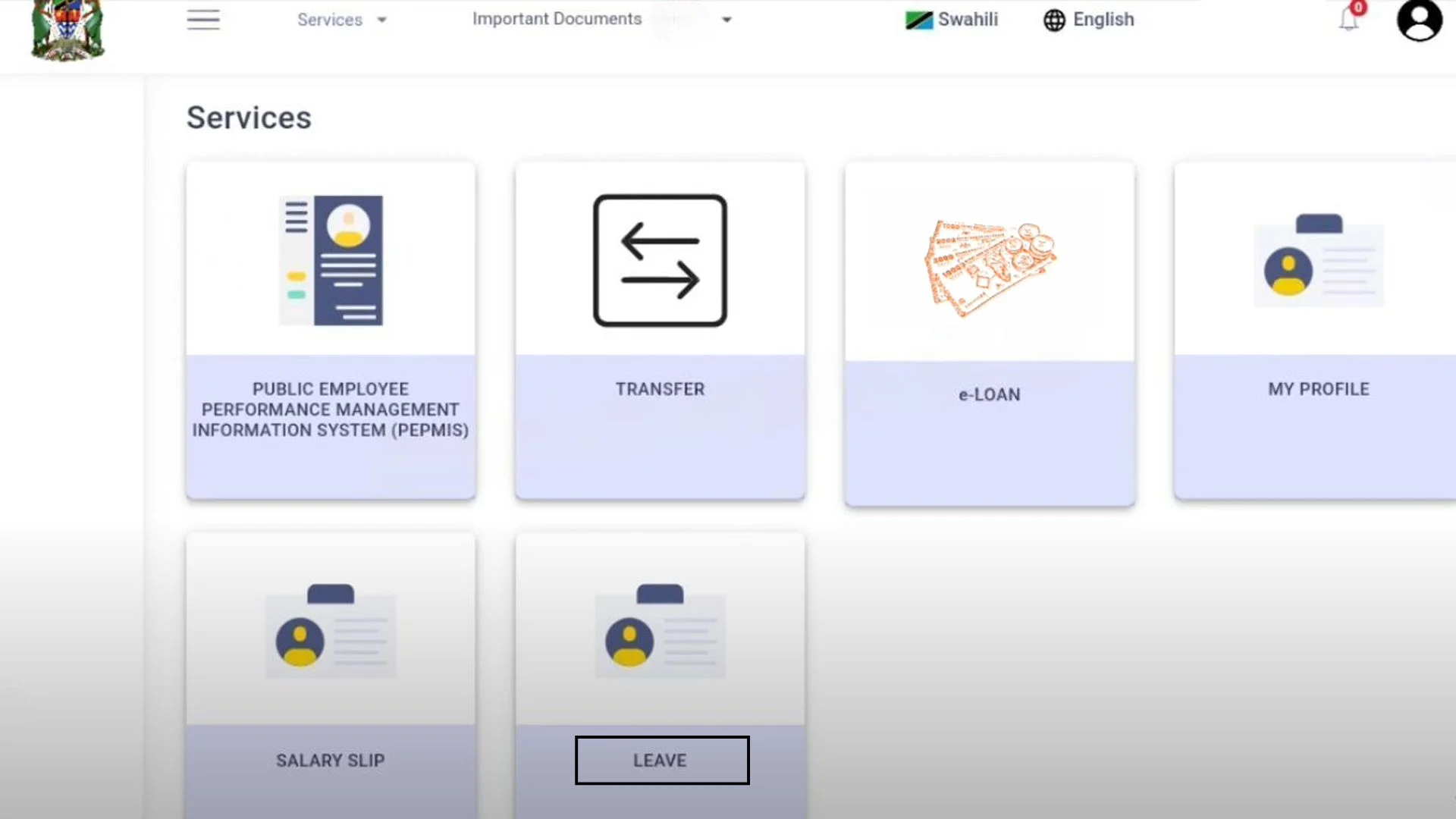
Step 1: Access the Leave Dashboard
After logging in to the ESS Utumishi portal, you will see a leave dashboard. Click on it.

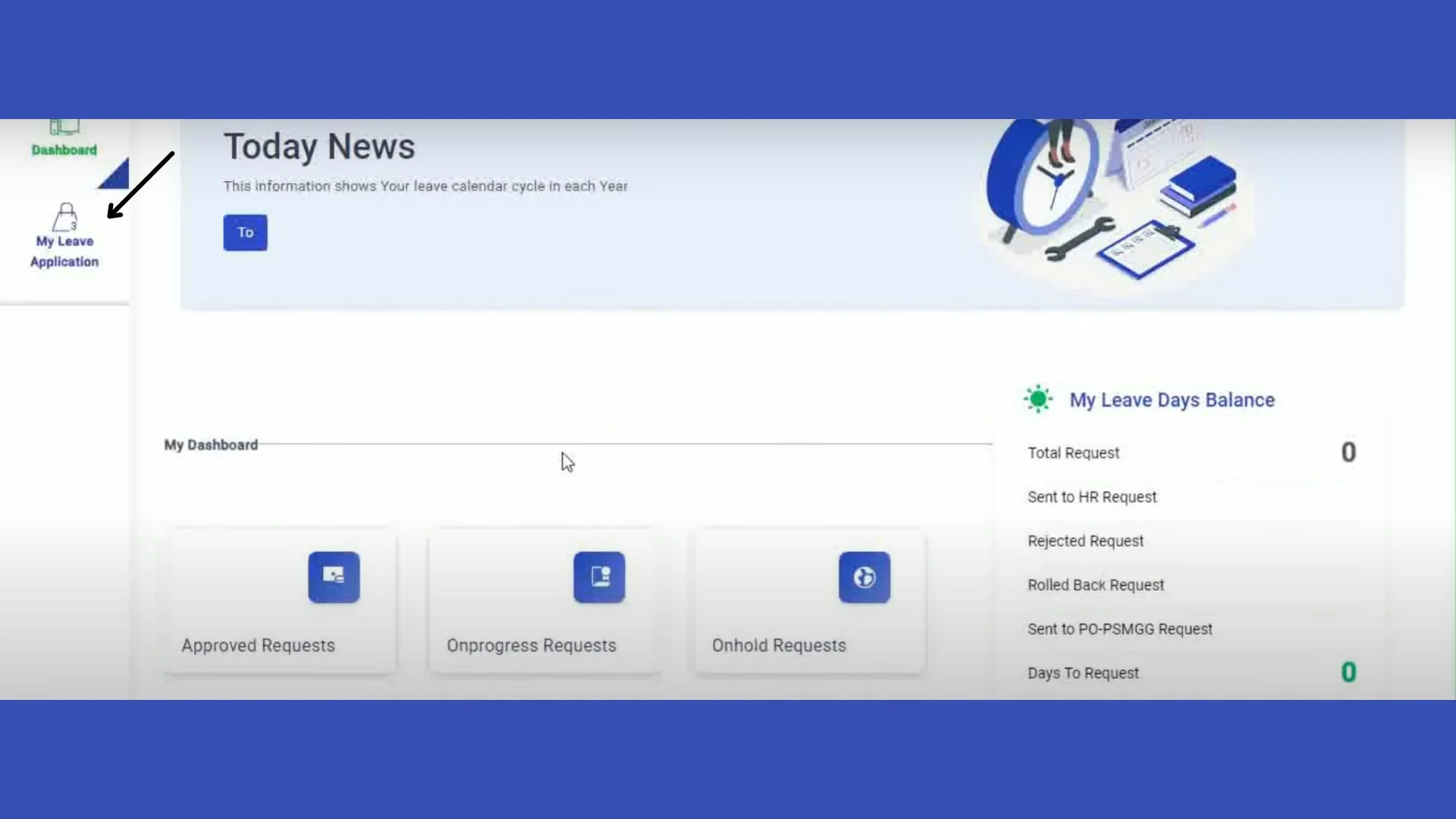
Step 2: Open the My Leave Application Option
Now you will see all the details of your leaves. To submit a new request, click on the My Leave Application option.
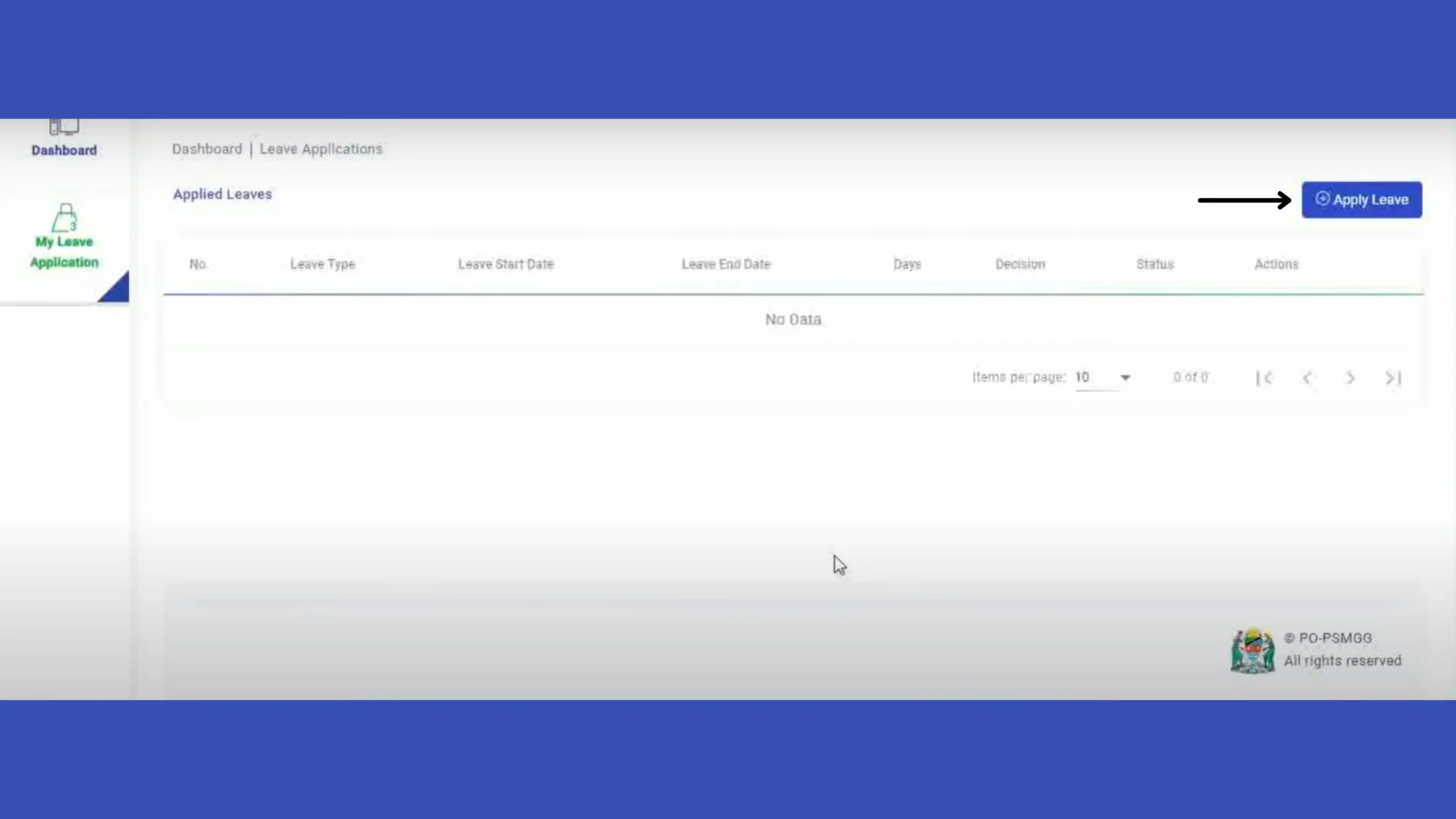
Step 3: Click on the Apply Leave button
You will see the Apply Leave button on the right side of the page. Click on it.
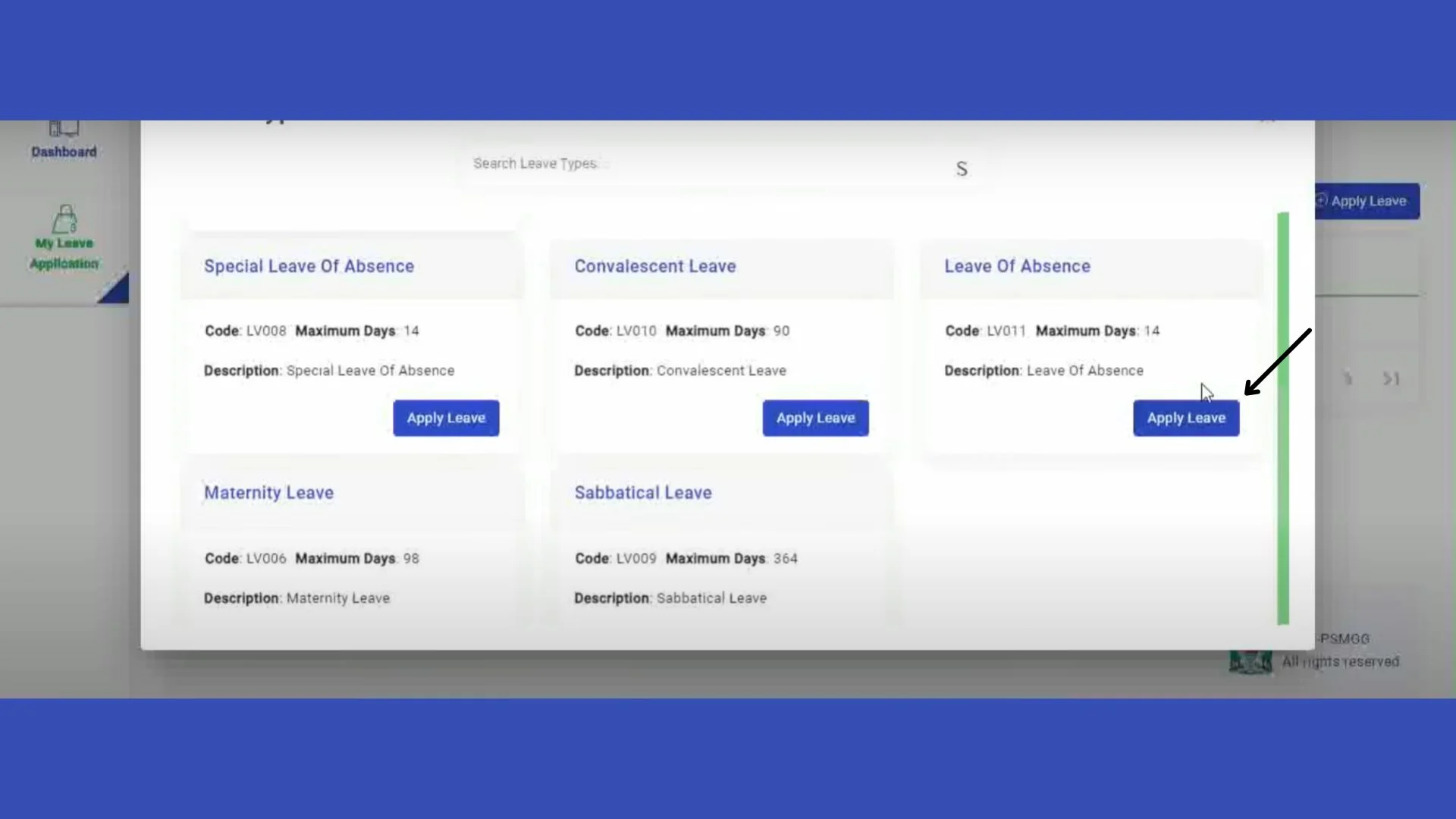
Step 4: Apply for leave
On this page, you will see all the leave categories. Choose one of them that you want to apply for, and to start the process, click on the button.
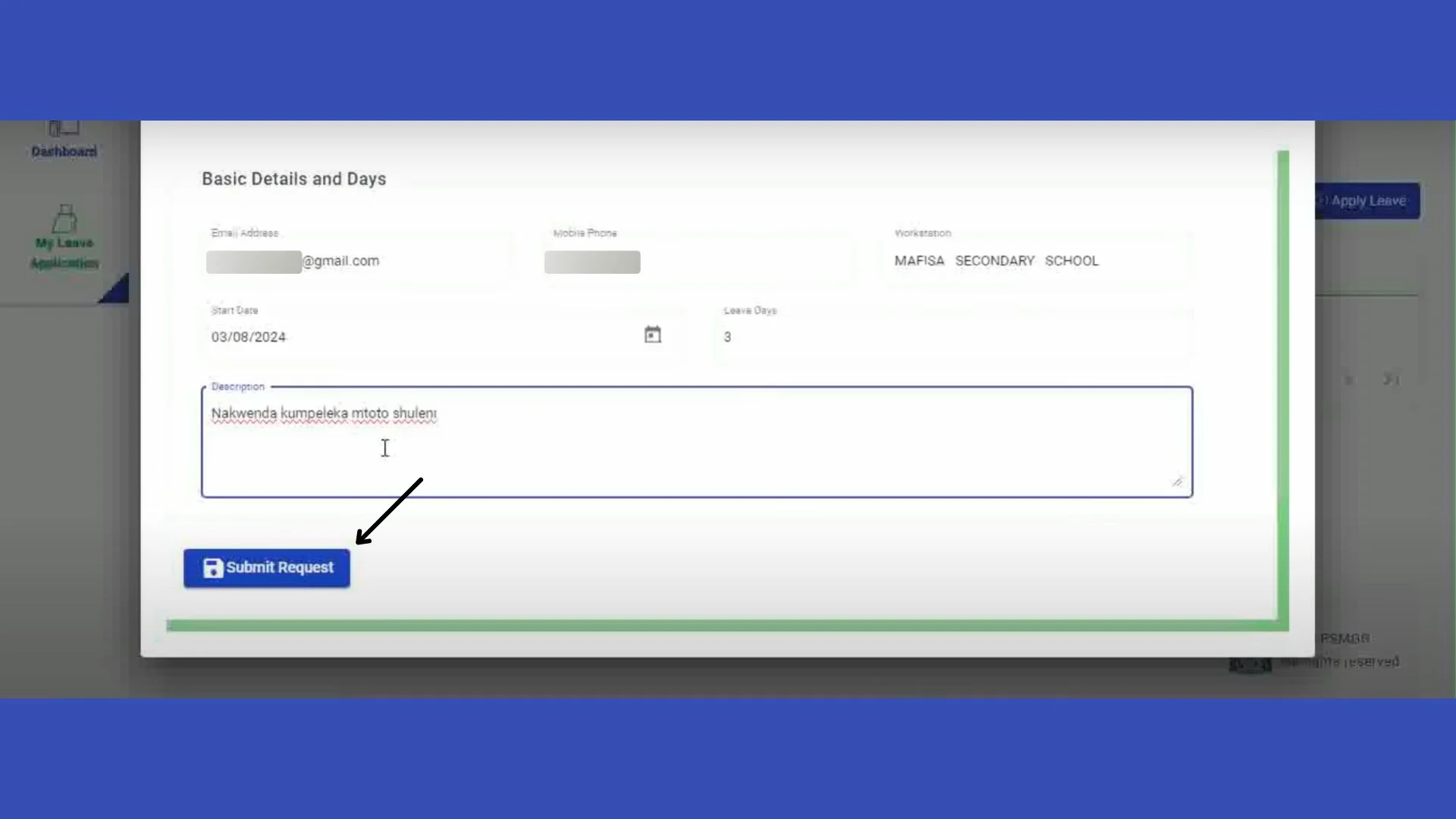
Step 5: Submit your leave request
Enter your details, and describe the reason in the description box. After filling in, click on the Submit Request button to submit the request.
Benefits of using Leave Dashboard
The Watumishi Portal streamlines the leave management process and provides some benefits:
Conclusion
The ESS Utumishi Leave Dashboard helps government employees in Tanzania manage their leaves easily. It streamlines the process and makes it quicker and more transparent. You can apply from anywhere. You can apply for different leave types, track your status, check your approvals or rejections, and stay organized. You can do all these things without visiting HR offices. It saves time and reduces paperwork. This portal improved communication between employees and management.