
PEPMIS Dashboard in ESS Utumishi Portal
PEPMIS means Performance and Evaluation Project Management Information System. It allows users to log in to manage and monitor performance, view assigned tasks, and set new goals. It is a beneficial tool within the ESS Utumishi Portal for Tanzanian government employees. It saves your time and fills the gap between managers and team members.
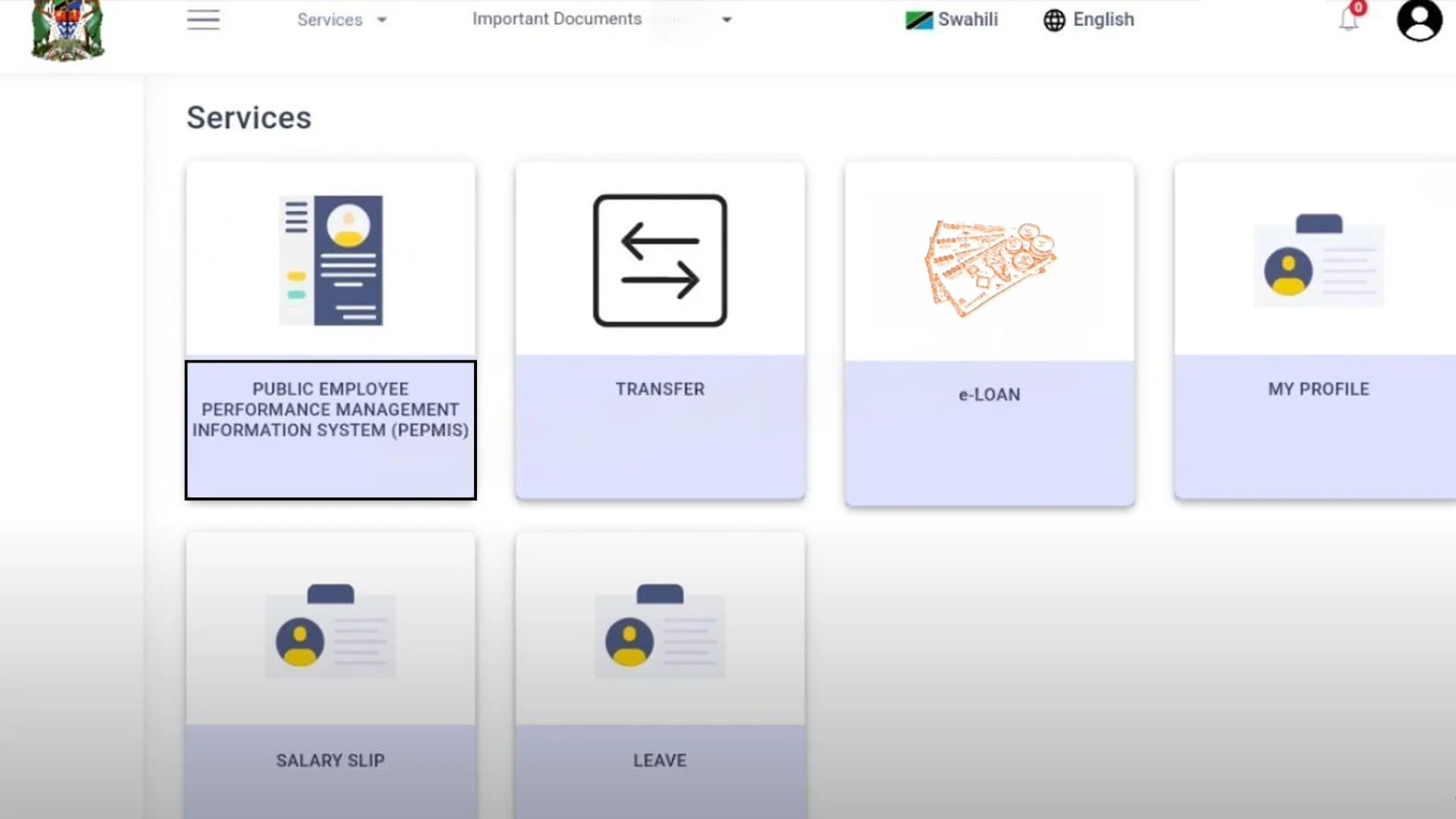
Employees can easily set up their supervisors. Managers and supervisors can check team performance and give feedback. They can also directly assign tasks to their team. Employees can update their progress and see deadlines. It saves time, improves workflow, and supports your career growth.
How to Register on PEPMIS?
Follow these steps to register:
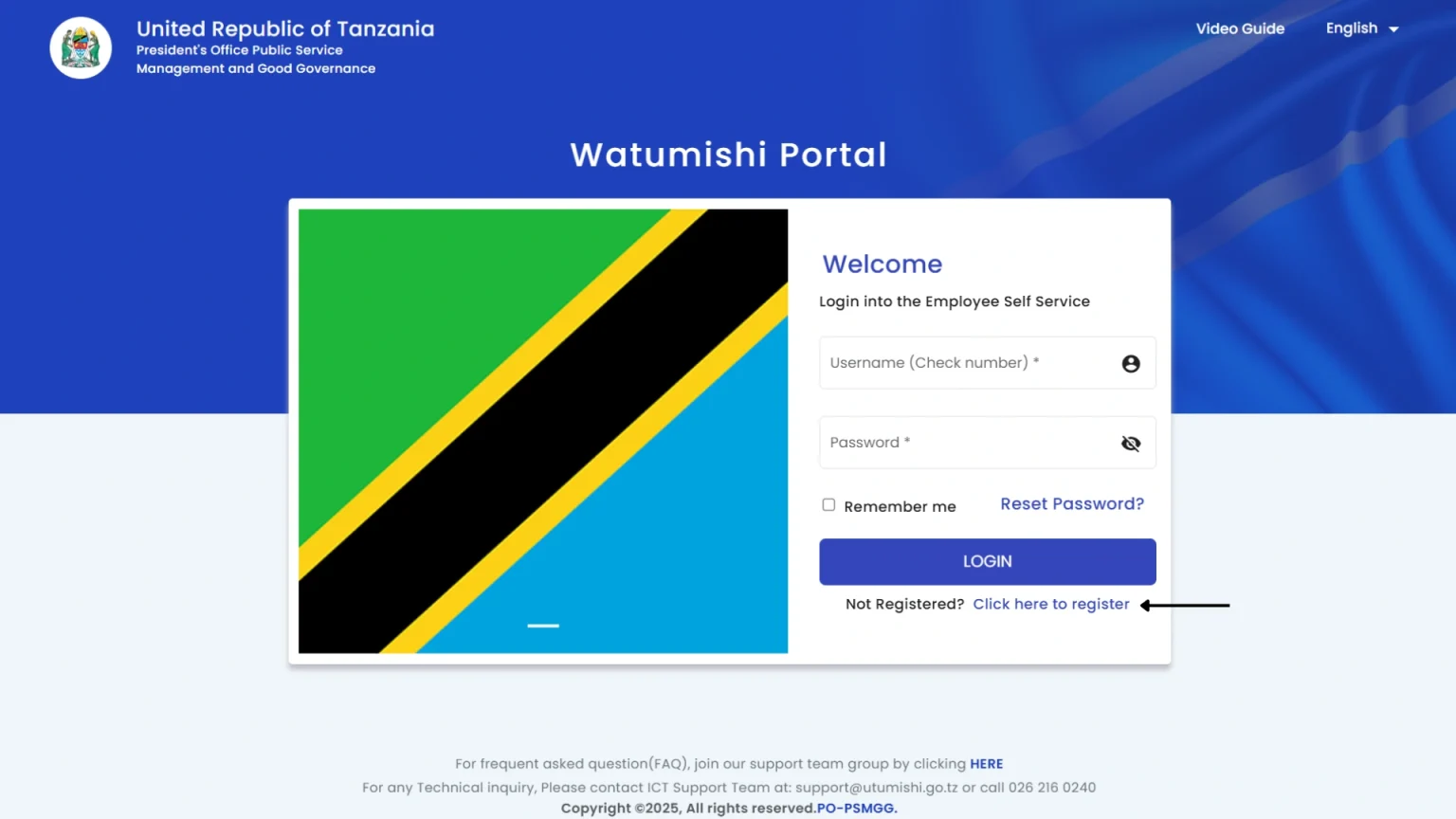
Step 1: Go to the Registration page
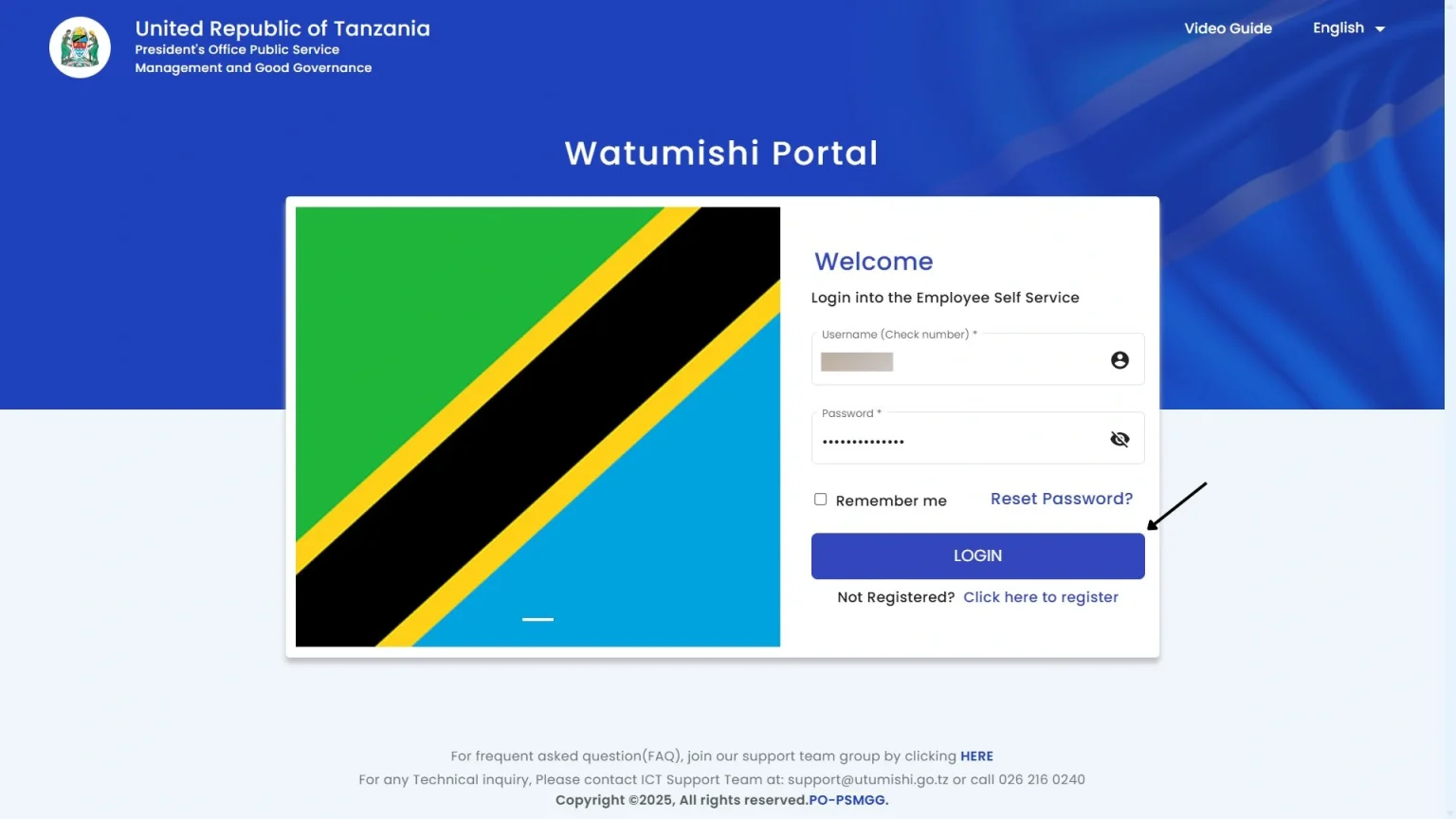
After opening the Watumishi Portal, you will see the “Click here to register” link under the password section. Click on it.
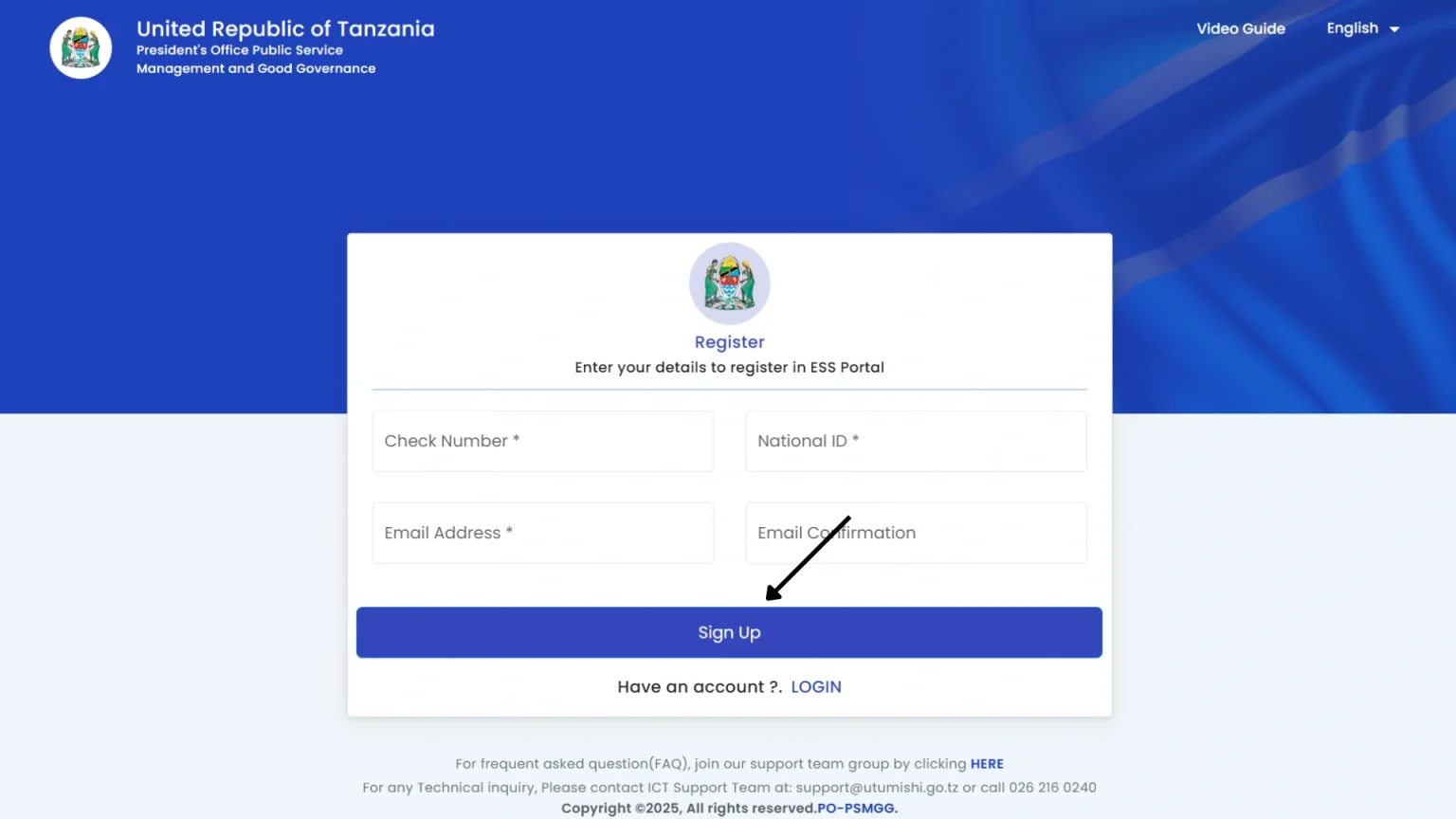
Step 2: Submit your Registration
On this page, fill in all the details, and click on the “Sign Up” button to submit your registration.
How to log in to PEPMIS Utumishi?
After registration, follow these steps to log in:
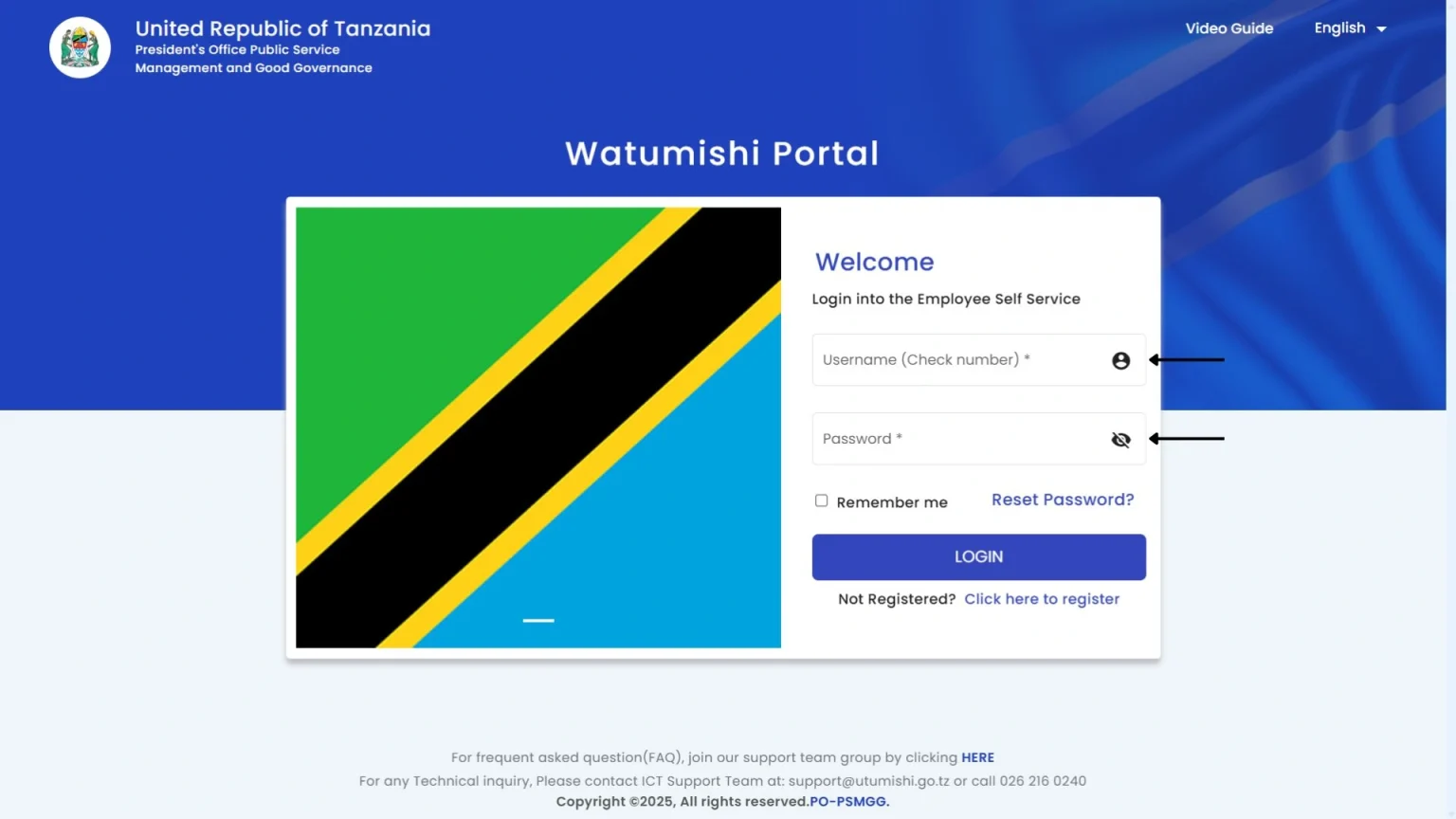
Step 1: Enter your username and password
Open the ESS Utumihsi portal and enter your username(check number) and password, which you created during registration.
Step 2: Click on the login button
After entering your credentials, click on the “login” button to open your account.
Step 3: Click on the PEPMIS
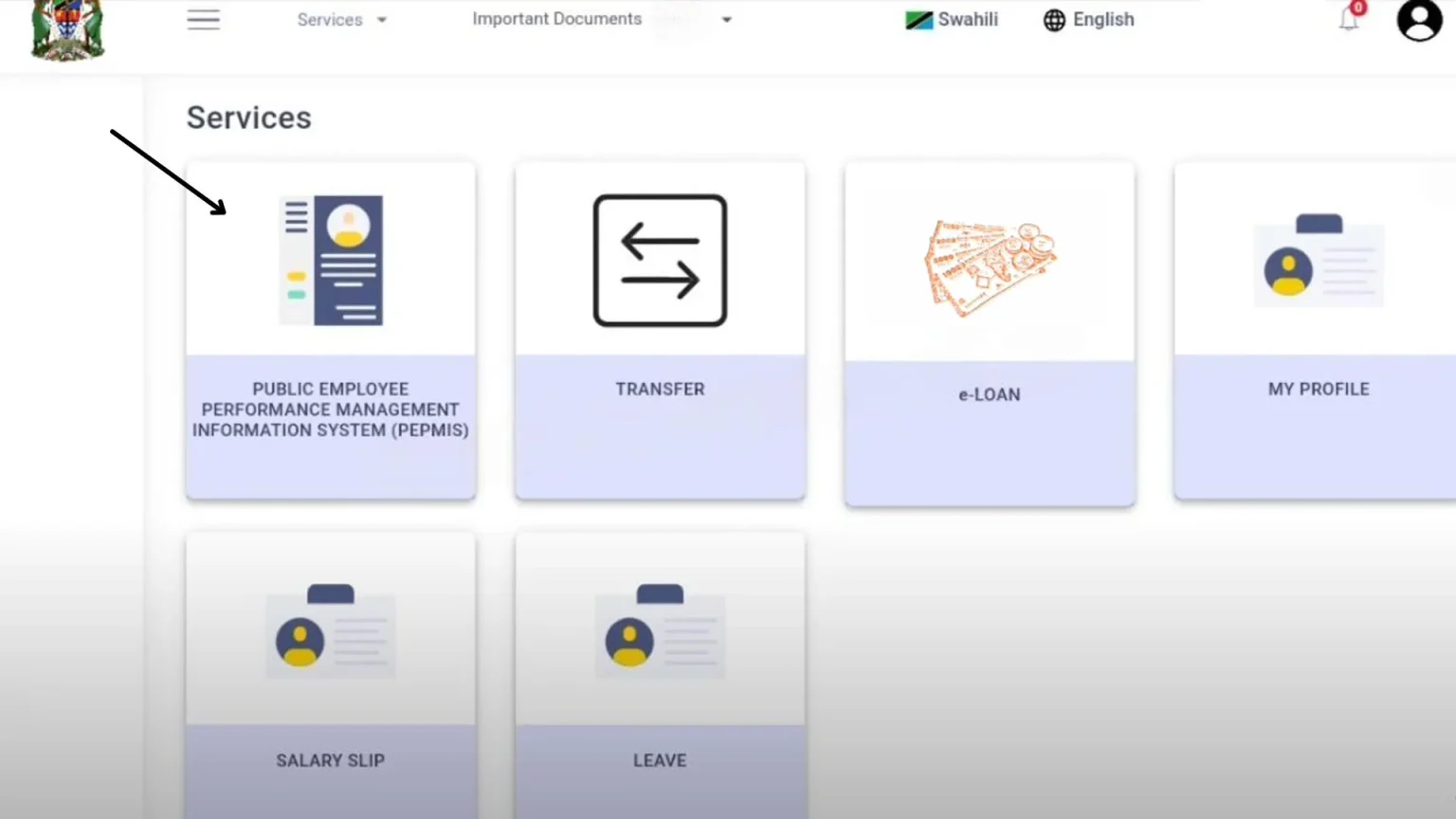
After logging in, you will see the PEPMIS dashboard. Simply click on it.
Alerts in Pepmis
The system uses three types of alerts to help manage tasks effectively.
PEPMIS Features
Performance and Evaluation Project Management Information System offers several features:
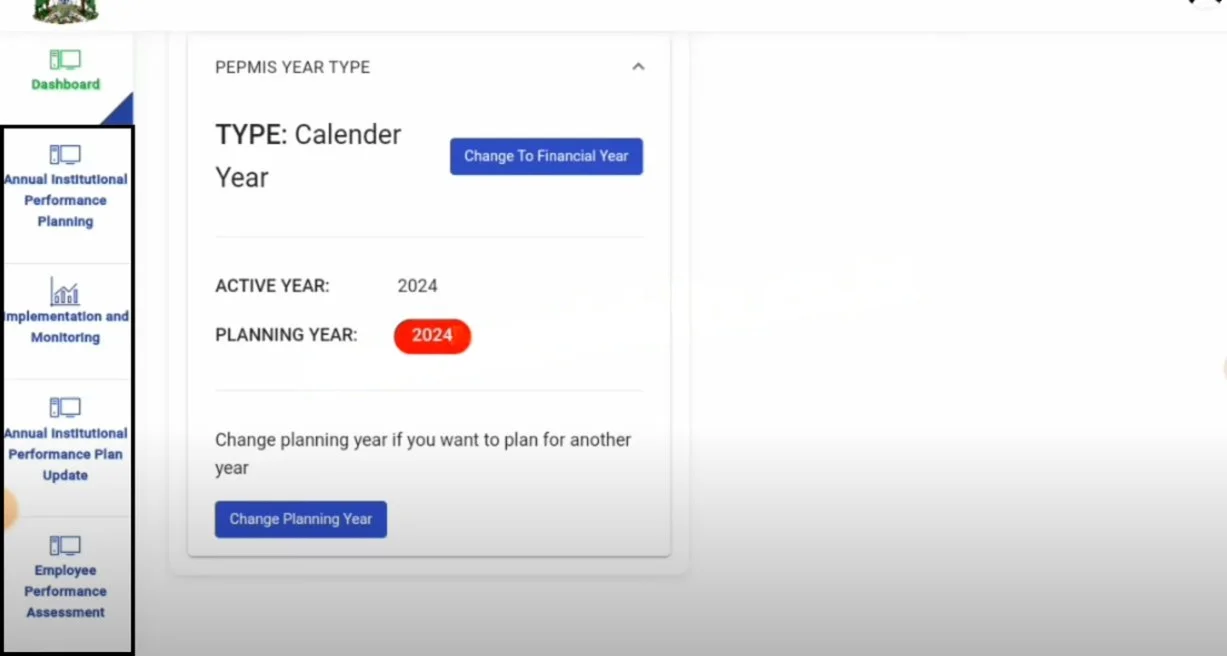
Annual Institutional Performance Planning:
In this section, the Workstation Performance Plan option is available. It allows users to set performance indicators, define task weights and timeframes, and approve subtasks. This helps ensure that the tasks match the goals.
Implementation and Monitoring:
In this section, you will see the Employee option. It allows employees to view and submit tasks, monitor progress, and update the status of their assignments. Supervisors can manage and verify employee tasks through the Departments/Unity/Workstation feature.
Annual Institutional Performance Plan Update:
This option allows employees to create their own tasks and subtasks. It helps keep work organized and easy to manage.
Change Plan and Change Supervisors:
PEPMIS Utumishi provides helpful features for Tanzanian government employees. It empowers them to change supervisors when needed. They can update plans and edit or delete tasks and subtasks. It is a useful workstation for public servants.
Importance
These details tell us the importance of this dashboard:
Improved Task Management
It makes work easier for everyone. Employees can manage their tasks, and supervisors can track team performance online. It improves the efficiency of work.
Structured Goal Planning
Employees and supervisors can set performance indicators, deadlines, and task weights. They can also align their tasks with their goals. It improves productivity and provides a clear view of your targets.
Smooth Communication
This platform improves communication between employees and supervisors by offering progress updates and task management. Employees can submit tasks and receive immediate approvals without delays and misunderstandings. It improves the transparency.
Streamlined Workflow
PEPMIS reduces unnecessary manual work by using a digital system for creating, tracking, and approving tasks. It reduces paperwork and allows employees and supervisors to focus on their responsibilities.
Conclusion
PEPMIS is a useful tool in the ESS Utumishi Portal. It simplifies task assignment and progress tracking by providing a digital platform. This dashboard helps you to stay organized and focused on your goals. It promotes better communication between employees and supervisors. This platform makes the process smooth and transparent.